Get help

ProductivityVoice Translator for Windows

Talk to anyone: an offline voice translator for Windows

Speak, and the person across from you reads and hears it in their language. Then they answer. It all happens on your PC, with no signal and no account.

  • Free in the Microsoft Store
  • No account needed
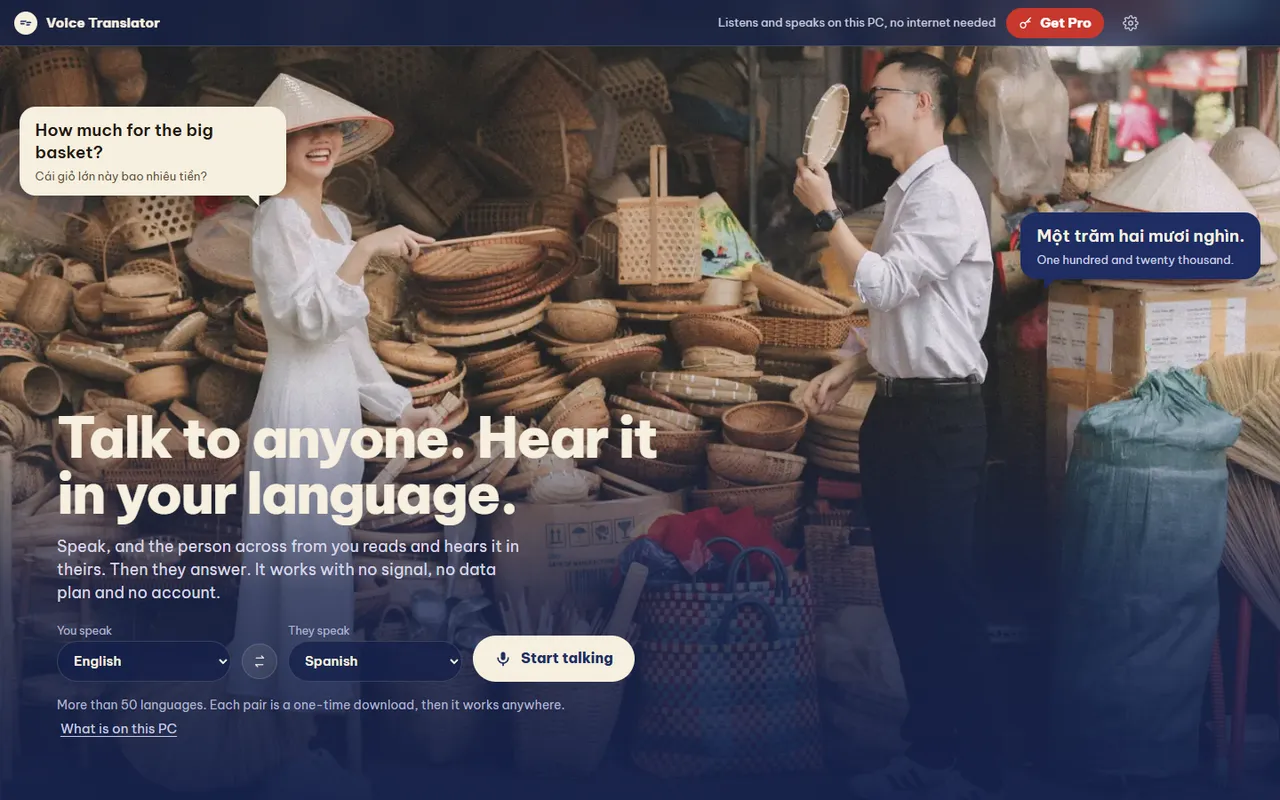
Voice Translator opening screen: a traveller and a stall keeper talking across baskets at a market, each with a speech balloon, the two languages to pick from and a Start talking button.

Features

What it does

Voice Translator opening screen: a traveller and a stall keeper talking across baskets at a market, each with a speech balloon, the two languages to pick from and a Start talking button.

Face to face

The screen is split in two and the top half is turned for the person across from you. Hold the big button (or press Space) to talk; they have a button on their side to answer.

  • It speaks for you

    Your sentence appears on your half, crosses the fold, appears in the other language and is read aloud. Languages without a voice are shown as text, and the app says so.

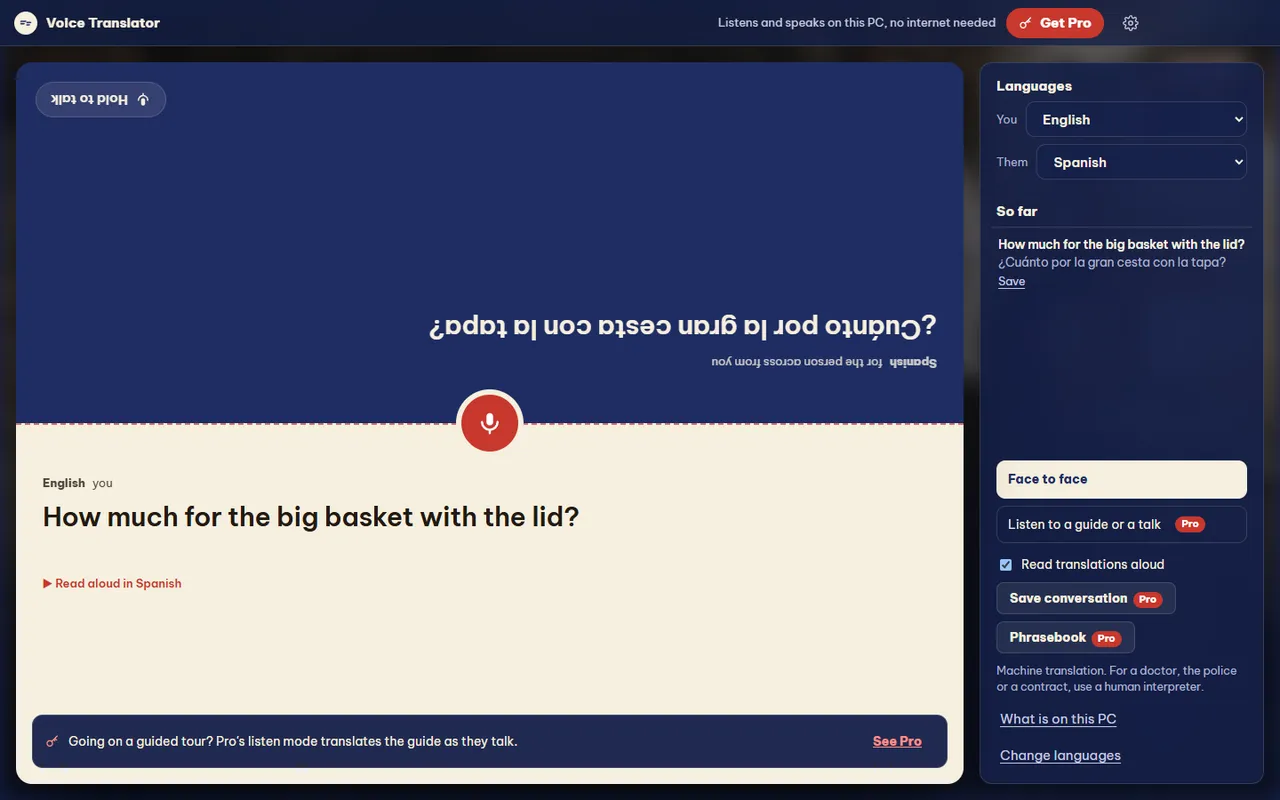
Voice Translator mid-conversation: the screen split in two, the top half upside down for the person opposite showing the Spanish translation, your English sentence on the bottom half.

On your PC, with no signal

Listening, translating and speaking all happen on your PC. Each language downloads once, and the app shows the size before it starts.

  • More than 50 languages

    Any pair the translation packs cover: pairs without English go through English.

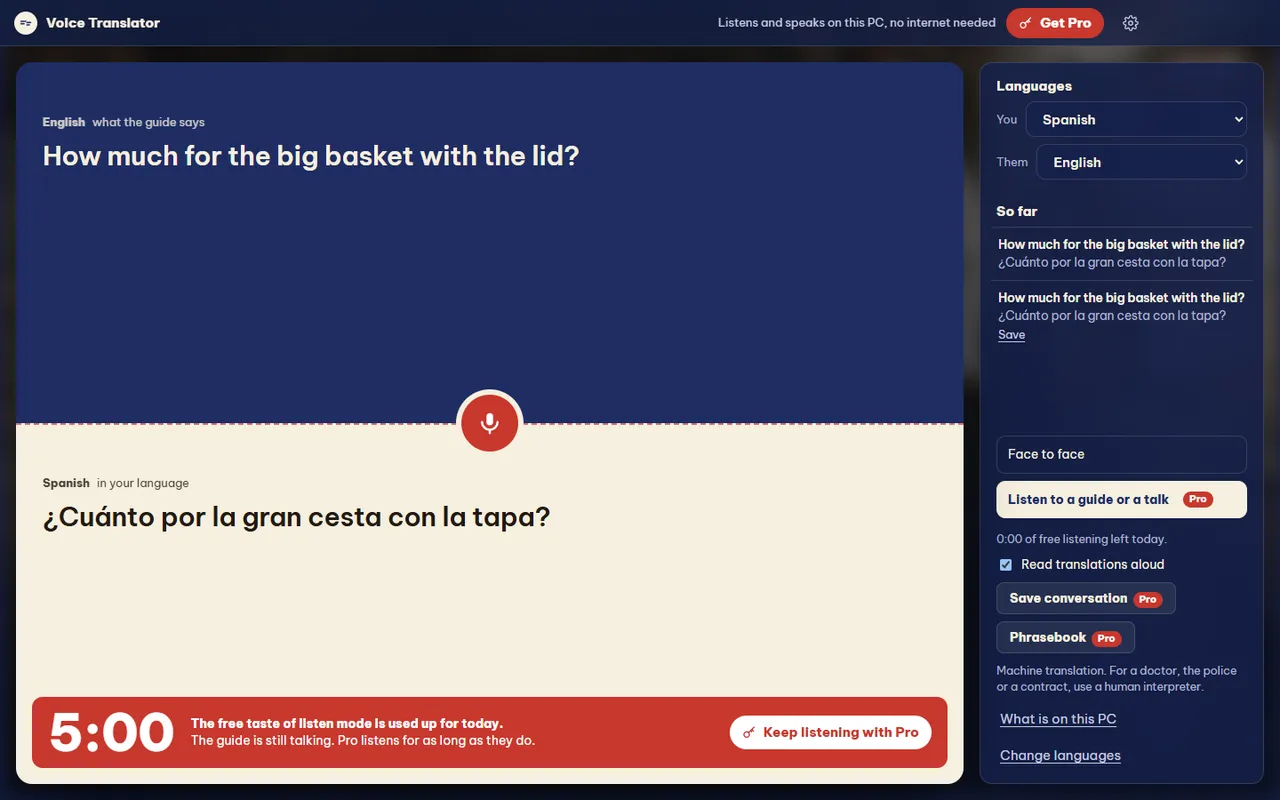
Voice Translator in listen mode: what a guide says in English above, the Spanish translation below, and a card about the free taste of listen mode being used up for today.

Pro: tours, talks and a phrasebook

Listen mode follows a guide or a speaker for as long as they talk (5 minutes a day without Pro). Pro also saves a conversation as text in both languages and keeps a phrasebook of the lines you say often.

How it works

Three steps, no setup

  1. Pick the two languages

    Choose the one you speak and the one they speak. The app shows what each language needs to download, once.

  2. Hold and speak

    Hold the big button or press Space, say something, and let go.

  3. Read it and hear it

    The translation appears on their half of the screen and is read aloud. Then they hold their button and answer.

Pricing

Free to use, Pro when you need more

Get it free from the Microsoft Store. Pro is a one-time purchase on this website.

Free

$0

  • Face-to-face talking for as long as you like
  • Any language pair the packs cover, both ways
  • Read aloud when a voice exists for the language
  • 5 minutes of listen mode a day
Get it from Microsoft

Pro: everything in Free, plus

$14.99 one-time

  • Listen mode with no time limit, for a guide, a talk or a meeting
  • Save a conversation as text in both languages
  • A phrasebook of the lines you say often
  • On up to 3 PCs
Buy Pro

Buy Pro here and paste the key into the app's Settings. It works on up to 3 PCs, with a 14-day refund, no questions asked.

What's new

Version 1.0.0

  • First release: talk to someone who speaks another language. Hold the big button (or press Space) and speak; the person across from you reads and hears it in theirs. They have a button on their side to answer.
  • It listens, translates and speaks on your PC. Nothing you say is uploaded, and it works with no internet once the languages are downloaded. The app shows the size of each download before it starts.
  • Languages without a voice are shown as text only, and the app says so.
  • Without Pro, talk face to face for as long as you like, and try listen mode for 5 minutes a day. With Pro, listen to a guide or a talk for as long as it lasts, save a conversation as text in both languages, and keep a phrasebook of the lines you say often.

FAQ

Questions

Something not answered here? Ask us and you'll get a reply.

Ask a question
Is what I say uploaded?

No. The microphone is used only while you hold talk or listen, and what it hears is recognised, translated and spoken on your PC. The only downloads are the languages you choose.

Does it need the internet?

Only once per language, to download it. After that it works with no signal and no data plan.

How big are the downloads?

The app shows every size before it downloads anything. Speech recognition is about 148 MB and is shared by every language. Each language adds its translation (tens of megabytes) and, where there is one, a voice of about 60 to 75 MB.

Which languages are spoken aloud?

English, German, Spanish, French, Dutch, Swedish, Norwegian, Greek, Icelandic and Ukrainian have a voice. Every other language is translated and shown as text, and the app says so.

Is the translation always right?

No. It is machine translation. For a doctor, the police or a contract, use a human interpreter.

Is it free?

Face-to-face talking is free for as long as you like, with 5 minutes of listen mode a day. Pro adds listen mode with no limit, saving a conversation and a phrasebook for $14.99 once.

What does Pro cost?

$14.99, once. Buy it on this website and paste the license key into Settings. It works on up to 3 PCs, and there is a 14-day refund, no questions asked.

Get Voice Translator

Speak, and the person across from you reads and hears it in their language. Then they answer. It all happens on your PC, with no signal and no account.

© 2026 CAO Labs