Get help

For pilots and aircraft ownersTail Number Lookup, free online

Tail number lookup for US aircraft

Type the N-number from the side of a plane and read its FAA registry record: registered owner and city, make, model, year, engine, and whether the registration is current. Check a whole fleet list for expiring and invalid registrations with Pro.

  • Free, runs in your browser
  • No account needed
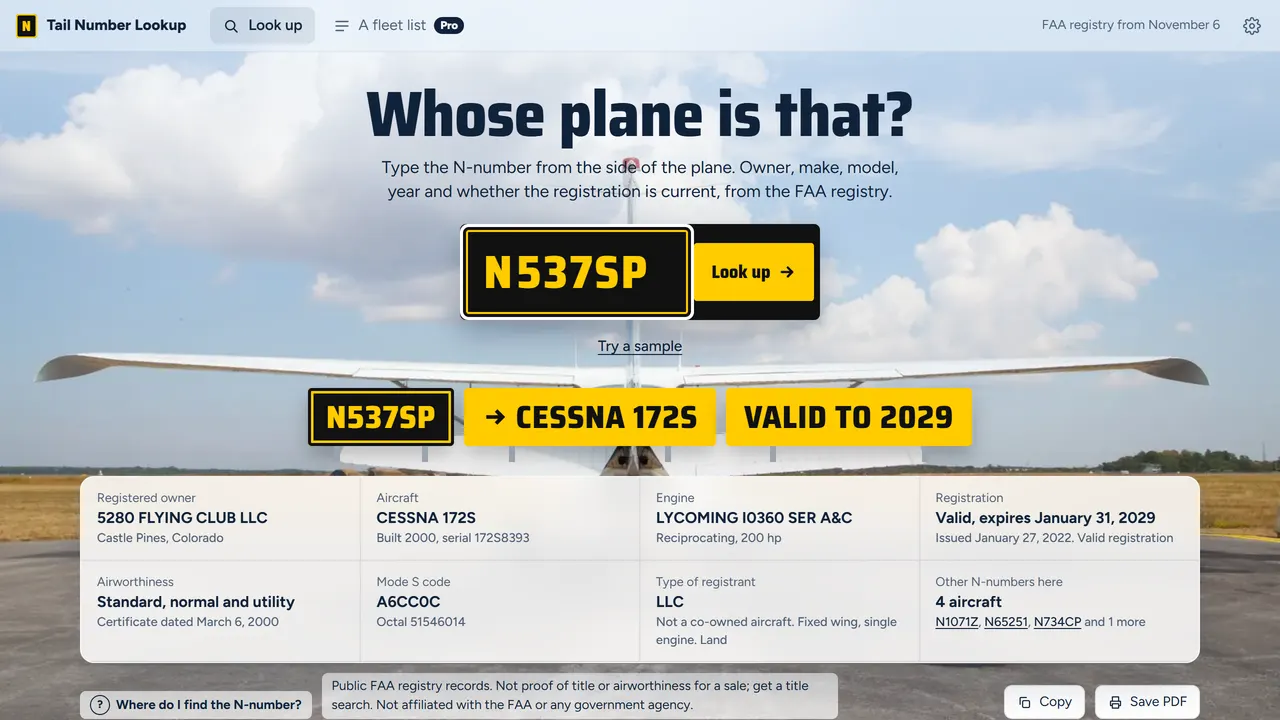
Tail Number Lookup with N537SP looked up: over a photo of a high-wing plane on a ramp, three airfield signs read N537SP, CESSNA 172S and VALID TO 2029, and a record card below names the flying club that owns it, the engine, the registration dates, the airworthiness class and the Mode S code.

Features

What it does

Tail Number Lookup with N537SP looked up: over a photo of a high-wing plane on a ramp, three airfield signs read N537SP, CESSNA 172S and VALID TO 2029, and a record card below names the flying club that owns it, the engine, the registration dates, the airworthiness class and the Mode S code.

The answer, as airfield signs

The registration on a black location sign, the make and model on a yellow direction sign, and the registration status beside them: valid to a year, expiring, expired, revoked or deregistered.

  • The record, as the FAA publishes it

    Registered owner and city, the aircraft with its year and serial number, the engine, issue and expiry dates, airworthiness class, Mode S code in hex and octal.

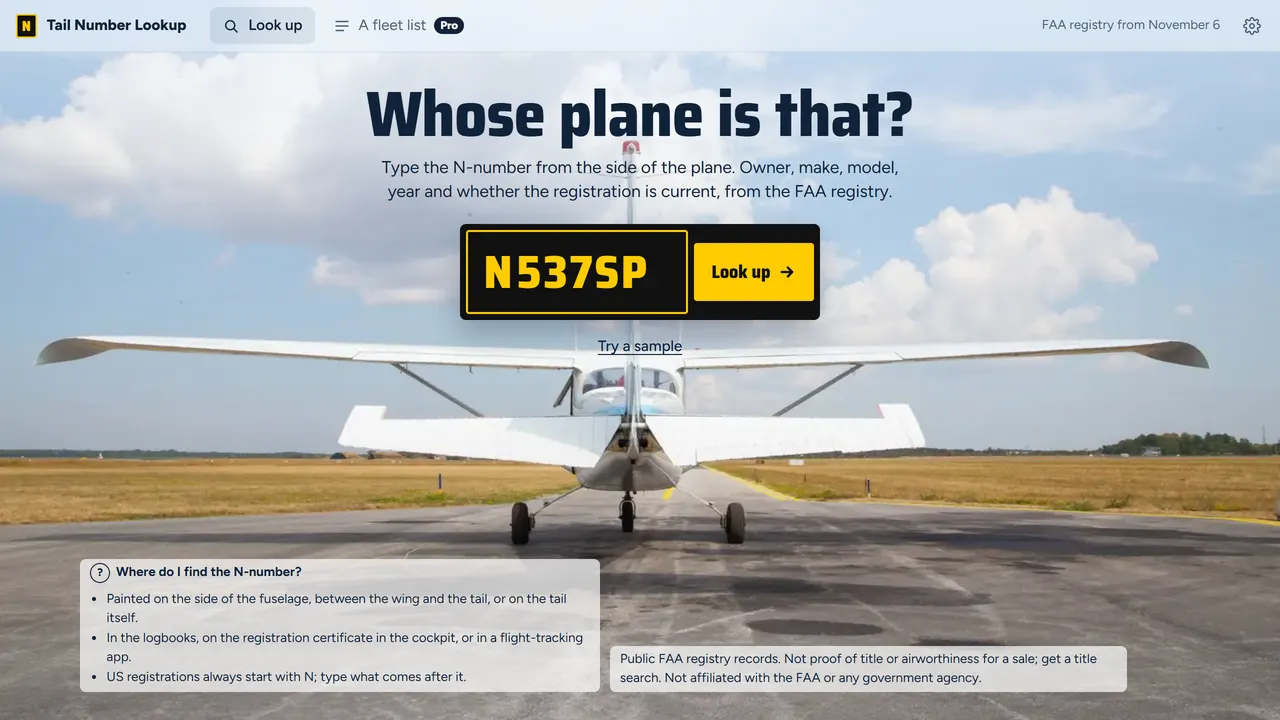
The first screen: the question Whose plane is that?, a black and yellow airfield-sign field with the N printed in, and the help that says where to find the N-number on a plane.

Deregistered, reserved or not on file

A number no aircraft carries says so: deregistered with the date and where it was exported, reserved, or not in the registry at all.

  • Other aircraft at the same address

    The record lists other N-numbers registered at the same mailing address; one click looks each up.

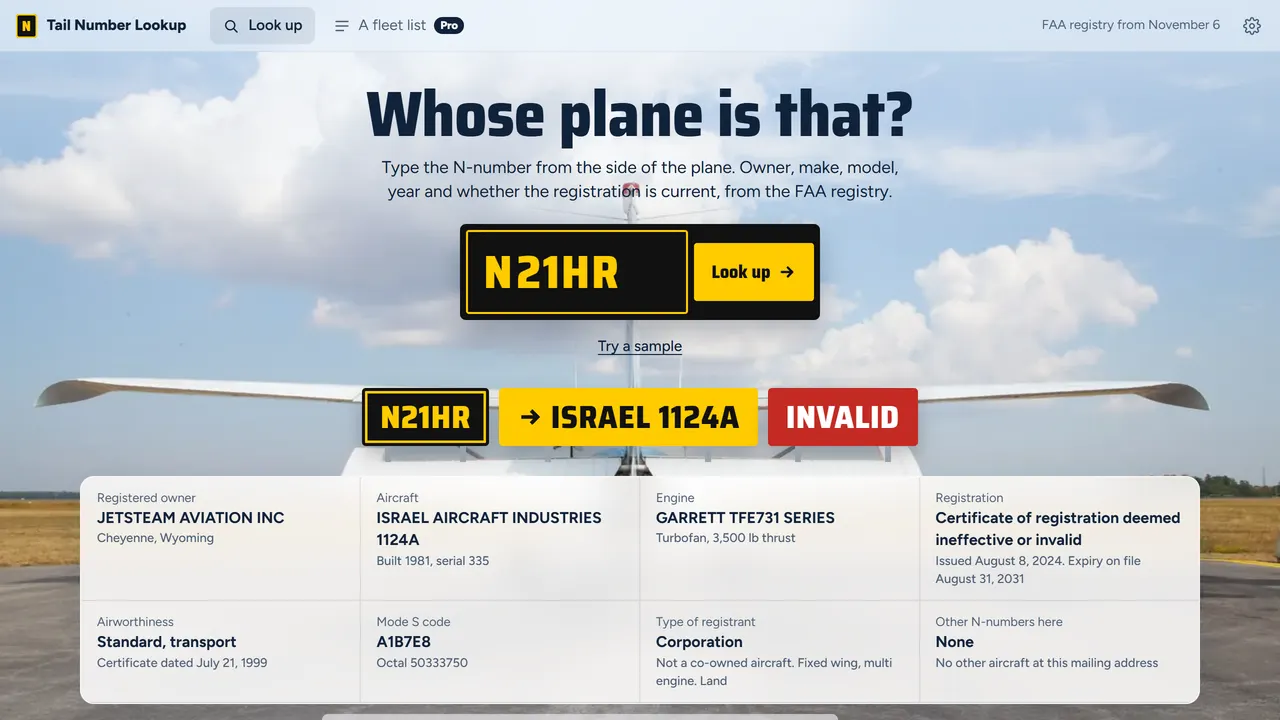
An aircraft whose registration the FAA deems invalid: the third sign is red and reads INVALID, and the record card gives the FAA status in its own words.

Pro: check a whole fleet list

Drop a CSV or paste a list. Invalid, deregistered and expiring registrations come first; save the result as CSV.

  • Nothing sent anywhere

    The registry comes from our website in small files and the lookup runs on your PC. Tails you have looked up open again offline.

How it works

Three steps, no setup

  1. Find the N-number

    On the side of the fuselage or the tail.

  2. Type what follows the N

    The signs stand up with the answer.

  3. Read the record

    Owner, aircraft, engine and registration.

Pricing

Free to use, Pro when you need more

Get it free from the Microsoft Store. Pro is a one-time purchase on this website.

Free

$0

  • Unlimited N-number lookups
  • The full FAA registry record
  • Valid, expiring, expired, deregistered and reserved, said plainly
  • Other N-numbers at the same address
  • Check the first 5 N-numbers of a pasted list or fleet file
Get it from Microsoft

Pro: everything in Free, plus

$9.99 one-time

  • Fleet lists from a CSV or text file, up to 5,000 N-numbers a run
  • Problems first: not on file, invalid, deregistered, expiring
  • Save as CSV with status, aircraft, owner and expiry
  • One payment, up to 3 PCs
Buy Pro

Buy Pro here and paste the key into the app's Settings. It works on up to 3 PCs, with a 14-day refund, no questions asked.

What's new

Version 1.1.0

  • Pro adds search by owner or company: type a name and see every registered aircraft held by that owner or co-owner, then open any N-number or save the list as CSV. Each search loads only a small part of the registry, on your PC.
  • Settings has a new "Report a problem" form: tell us what went wrong, and leave your email if you want an answer.
  • You can turn on crash reports in Settings to help us fix problems faster. They are off unless you turn them on, and file paths, email addresses and your user name are removed before anything is sent.

Version 1.0.0

  • First release: type the N-number from the side of a plane and the answer stands up as airfield signs: the registration, the make and model, and whether the registration is valid.
  • The record from the FAA registry: registered owner and city, aircraft and serial, engine, registration and expiry dates, airworthiness class, Mode S code in hex and octal, and other N-numbers at the same address.
  • Deregistered and reserved N-numbers say so. Tails you have looked up open again offline.
  • Check up to 10 N-numbers at once. Pro checks a whole fleet list from a CSV, flags expiring and invalid registrations, and saves the result as CSV.

FAQ

Questions

Something not answered here? Ask us and you'll get a reply.

Ask a question
Where do I find the N-number?

It is painted on the side of the fuselage, between the wing and the tail, or on the tail itself. It is also in the logbooks, on the registration certificate in the cockpit, and in flight-tracking apps. US registrations always start with N; type what comes after it.

Where does the aircraft data come from?

From the FAA's releasable aircraft registry, the public file of every US civil aircraft registration that the FAA publishes every business day. The app shows the date of the copy it has, and owner names exactly as the FAA publishes them.

Is this proof that the seller owns the plane?

No. These are public registry records, not proof of title or airworthiness. Before a purchase, get a title search from an aircraft title company and an inspection by a mechanic.

What does "renew by" mean?

The registration is valid but ends within about six months. The FAA mails renewal notices ahead of the expiry date; an aircraft may not fly once its registration has expired.

Why does an N-number show as not on file?

No aircraft carries it, it is not reserved and it was never deregistered in the copy the app has. Check the number; a registration newer than the registry date on screen shows once the app's data is updated.

Is the N-number I type sent anywhere?

No. The app downloads the small registry file for the first two or three characters of the N-number from our website, and the lookup itself runs in your browser.

Get Tail Number Lookup

Type the N-number from the side of a plane and read its FAA registry record: registered owner and city, make, model, year, engine, and whether the registration is current. Check a whole fleet list for expiring and invalid registrations with Pro.

Public FAA registry records. Not proof of title or airworthiness for a sale; get a title search. Aircraft data from the FAA's releasable aircraft registry. Not affiliated with the FAA or any government agency.

© 2026 CAO Labs