Get help

ProductivitySubtitle Translator for Windows

Translate subtitles offline on Windows, on their original timing

Open an SRT, VTT or ASS file and get it back translated, every line on its original timing. Languages download once and work offline. Nothing is uploaded.

  • Free in the Microsoft Store
  • No account needed
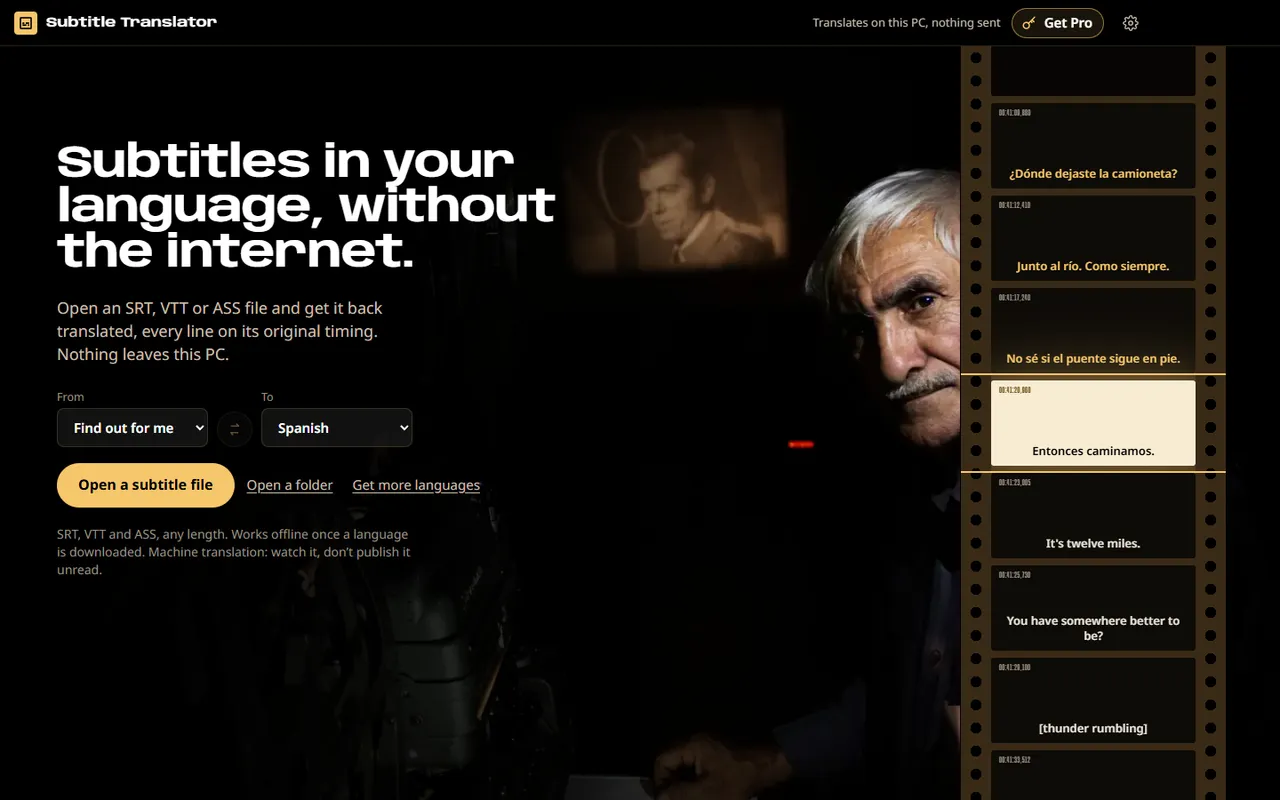
Subtitle Translator opening screen: a projectionist in a dark booth, the languages to pick from, an Open a subtitle file button, and a film strip with each subtitle line turning from English into Spanish.

Features

What it does

Subtitle Translator opening screen: a projectionist in a dark booth, the languages to pick from, an Open a subtitle file button, and a film strip with each subtitle line turning from English into Spanish.

Every line on its original timing

The translation replaces the text of each cue and nothing else. Cue count, numbering and times stay exactly as they were, so the subtitles still match the picture.

  • Italics, positions and speakers kept

    Italics, positioning tags, ASS styles, music notes and the dashes for two speakers come through. Long lines are wrapped again to two lines.

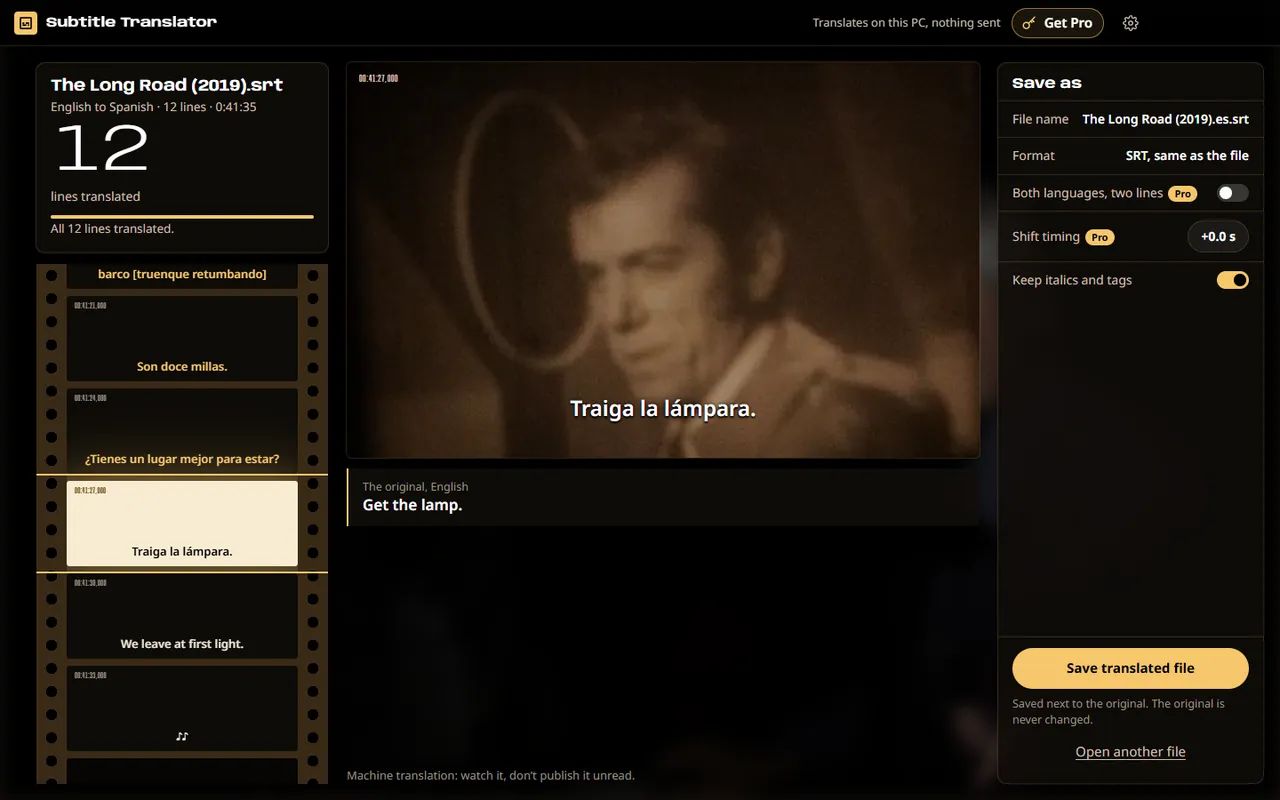
Subtitle Translator after translating a file: the count of translated lines, the film strip with the lit line, the Spanish line on a dark preview screen with the English original under it, and a Save translated file button.

Sentences that run over two cues

A sentence split across cues is translated as one sentence, then divided back into the same cues, so it reads right instead of word by word.

  • A copy, never your original

    The translated file is saved next to the original as “name.es.srt”. The original is never changed.

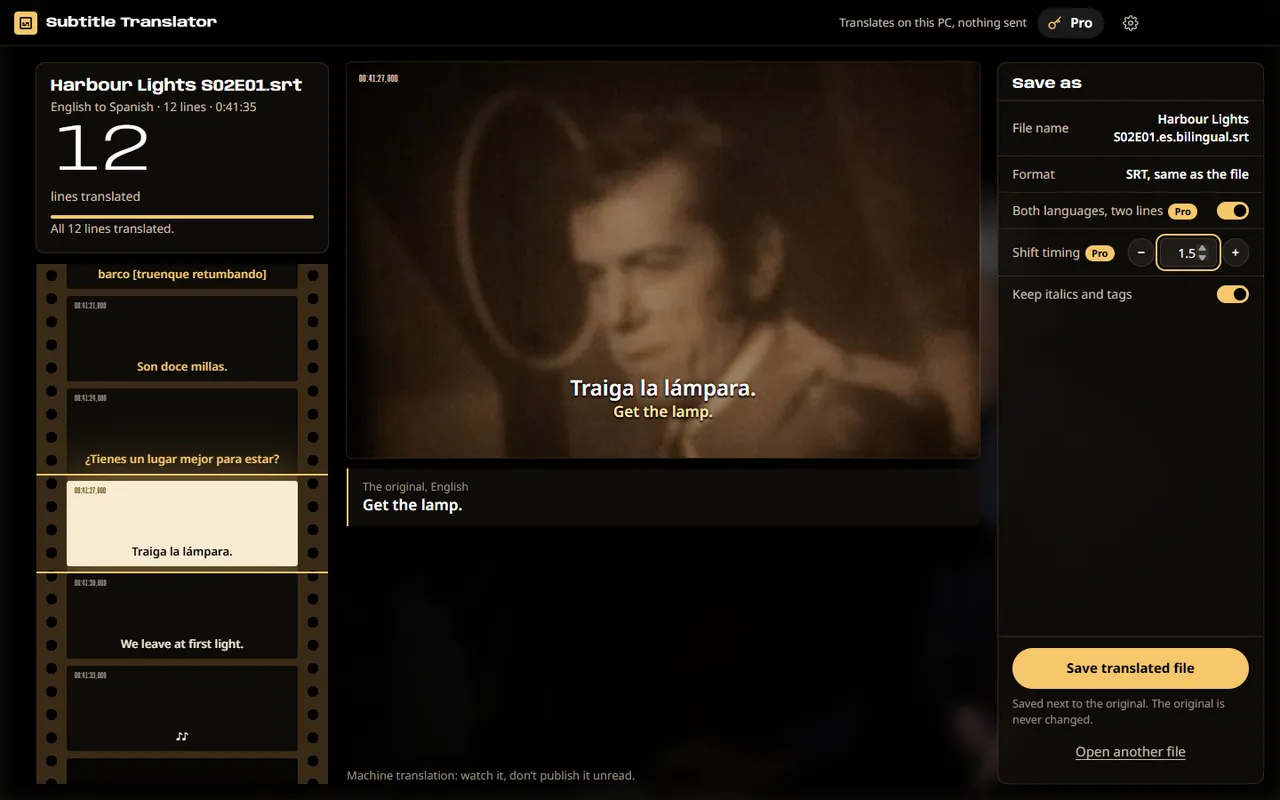
Subtitle Translator Pro: the preview screen showing Spanish and English together on two lines, with the both languages switch and the shift timing control on the right.

Offline, and nothing uploaded

Each language downloads once. After that your subtitle files are translated on your PC and never leave it.

  • Pro: a season, both languages, a shift

    Without Pro, the first 5 files of a folder are translated in full. Pro does a whole folder or season, saves both languages in each cue, and shifts the timing by seconds.

How it works

Three steps, no setup

  1. Open a subtitle file

    Click Open, drop the file anywhere in the window, or open a folder.

  2. Pick the languages

    Let the app find out what the file is written in, and choose what you want to read.

  3. Check and save

    Watch the lines turn on the film strip, check any line on the preview screen, then save the copy next to the original.

Pricing

Free to use, Pro when you need more

Get it free from the Microsoft Store. Pro is a one-time purchase on this website.

Free

$0

  • SRT, VTT and ASS/SSA files
  • One file translated in full, any length
  • The first 5 files of a folder, in full
  • A preview screen and a copy next to the original
Get it from Microsoft

Pro: everything in Free, plus

$9.99 one-time

  • A whole folder or season in one run
  • Both languages in each cue, two lines
  • Shift the timing by seconds
  • On up to 3 PCs
Buy Pro

Buy Pro here and paste the key into the app's Settings. It works on up to 3 PCs, with a 14-day refund, no questions asked.

What's new

Version 1.0.0

  • First release: open an SRT, VTT or ASS subtitle file and get it back translated, every line on its original timing. Pick the language, or let the app find out, and save the result next to the original as "name.es.srt".
  • Italics, positioning and styling tags are kept, lines are wrapped again to two lines, and a sentence that runs over two lines is translated as one sentence.
  • Watch the film strip run through the projector as each line turns into the new language, and check any line on the preview screen.
  • Languages download once and then work offline. Your files are never uploaded, and the original is never changed.
  • Free translates one file in full, any length, and the first 5 files of a folder. With Pro, translate a whole folder or season, save both languages in each cue, and shift the timing.

FAQ

Questions

Something not answered here? Ask us and you'll get a reply.

Ask a question
Are my subtitle files uploaded?

No. They are read, translated and written on your PC. The only downloads are the language packs you choose.

Does it change my original?

No. It saves a new file next to it, such as “Film.es.srt”, and never overwrites anything.

Will the timing stay the same?

Yes. Every cue keeps its number and its start and end time. Only the text is replaced, unless you use the Pro option to shift the timing.

Is the translation always right?

No. Machine translation can be wrong, so watch it before you share or publish it.

Does it work on DVD or Blu-ray subtitles?

No. Those are pictures, not text, so there is nothing to translate. SRT, VTT and ASS/SSA are text files.

Which languages can it write?

It reads every language Offline Translator has. It writes languages that use the Latin, Cyrillic or Greek alphabets, and Vietnamese. Other writing systems can be read from, not into, for now.

Is it free?

One file, any length, is translated in full without Pro, and so are the first 5 files of a folder. Pro adds a whole folder or season, both languages in each cue and a timing shift for $9.99 once.

What does Pro cost?

$9.99, once. Buy it on this website and paste the license key into Settings. It works on up to 3 PCs, and there is a 14-day refund, no questions asked.

Get Subtitle Translator

Open an SRT, VTT or ASS file and get it back translated, every line on its original timing. Languages download once and work offline. Nothing is uploaded.

© 2026 CAO Labs