Get help

ProductivityOffline PDF Redactor for Windows

Redact a PDF for free, offline on Windows

Black out names, account numbers and anything private in PDFs and images. The text under each box is removed, not just covered, and nothing is uploaded.

  • Free in the Microsoft Store
  • No account needed
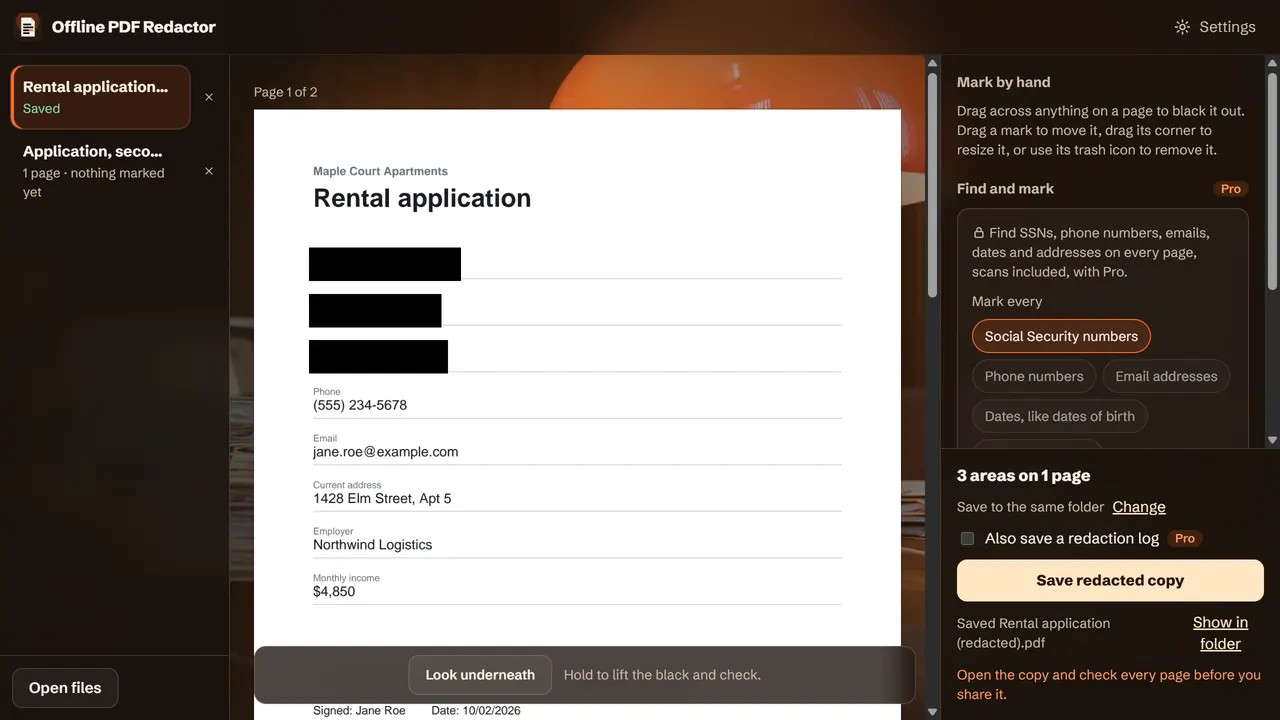
Offline PDF Redactor with a rental application open: the applicant name, date of birth and SSN are marked to be blacked out.

Features

What it does

Offline PDF Redactor with a rental application open: the applicant name, date of birth and SSN are marked to be blacked out.

Removed, not covered

A black box drawn in most PDF editors only hides the text: anyone can copy it back out. Redactor rebuilds every redacted page as an image with the bars painted in, so the text under them is gone.

  • See what you're blacking out

    Drag over anything on a page. Marks stay see-through until you save, so you can check each one covers exactly what it should. Pages you leave alone keep their text.

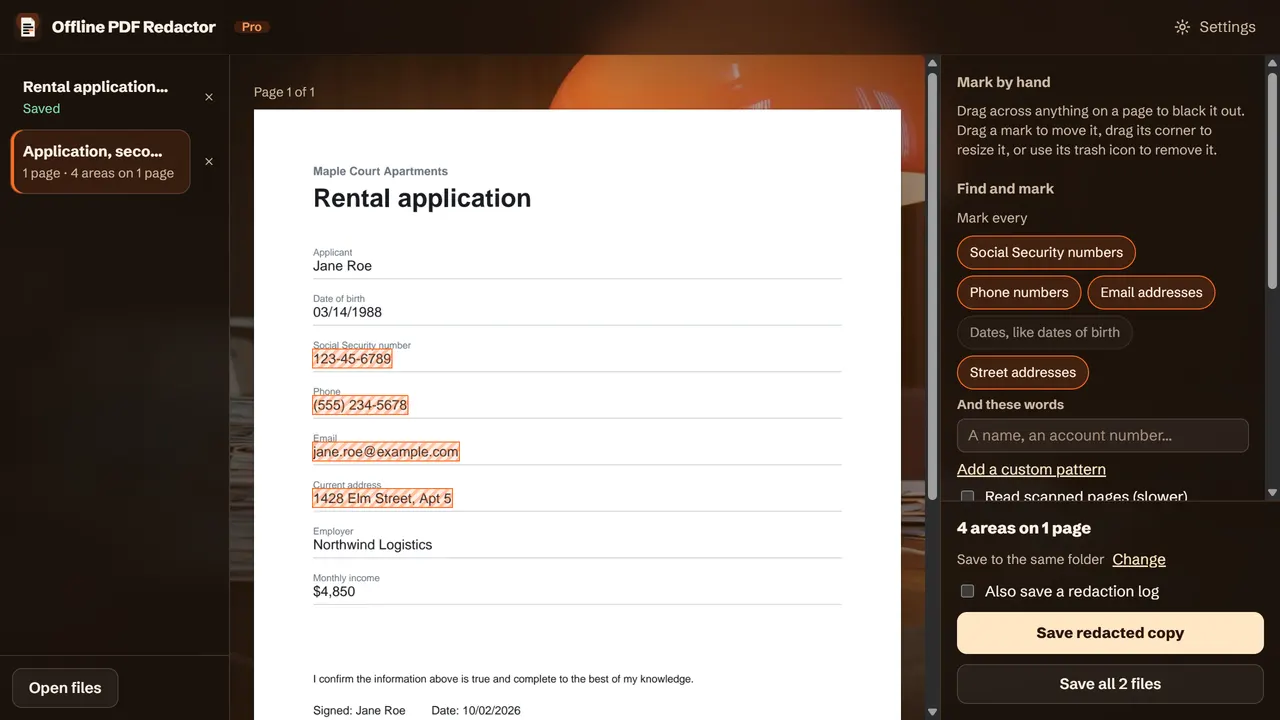
Offline PDF Redactor Pro after Find: the SSN, phone number, email and street address are marked in orange for review.

Pro: find every SSN, phone number and email

Find marks every Social Security number, phone number, email, date and street address in one pass, plus any word or your own pattern. Each match is a suggestion you can skip.

  • Pro: scans, long PDFs and batches

    Reads scanned pages and photos of documents on your PC, handles PDFs of any length, saves many files at once and writes a log of what was removed and why.

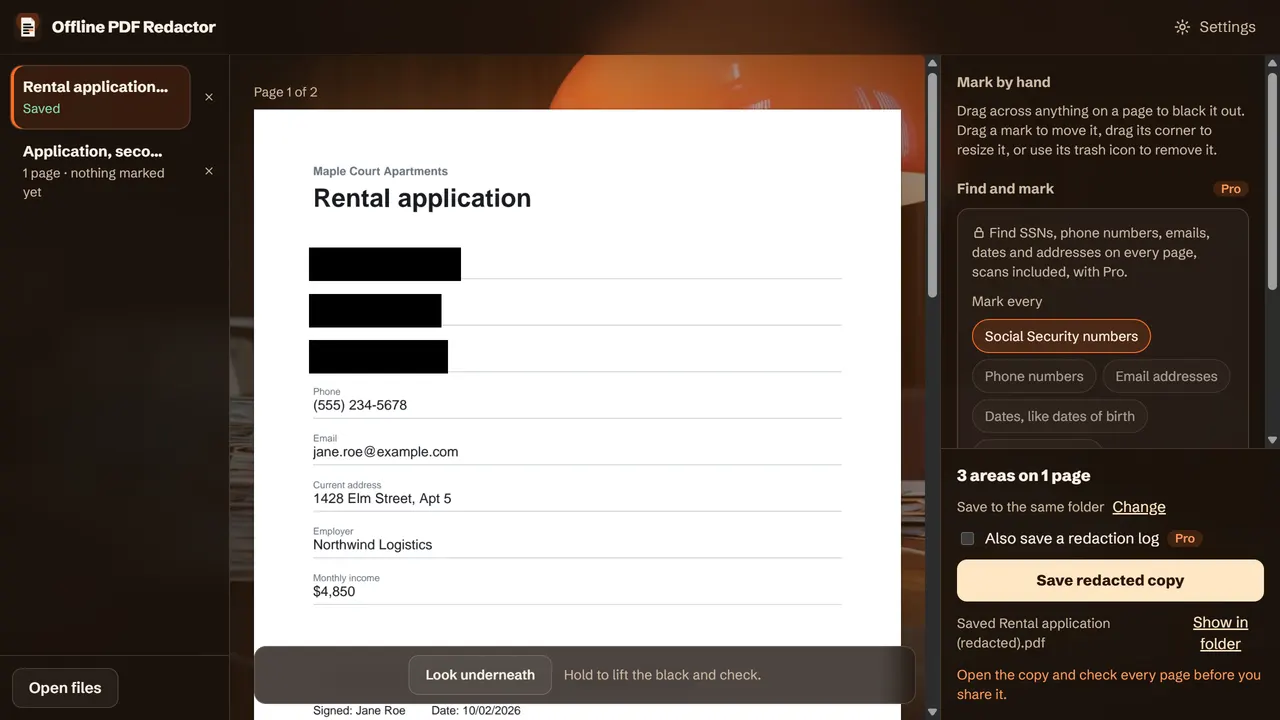
Offline PDF Redactor with Look underneath held: the black lifts to empty outlines, because the words are gone from the file.

Your documents stay on your PC

No upload, no account. Online redaction tools send your file to a server; Redactor works entirely offline. It also strips the author, title, bookmarks and attachments from the copy.

  • Fits right into Windows

    Right-click a PDF in File Explorer, choose Open with, then Offline PDF Redactor. It saves a new "(redacted)" copy and never overwrites your original.

How it works

Three steps, no setup

  1. Open a PDF or image

    PDF, PNG or JPG, dropped in or picked.

  2. Mark what has to go

    Drag over it, or let Pro find it for you.

  3. Save the redacted copy

    A new file next to the original, with the content removed.

Pricing

Free to use, Pro when you need more

Get it free from the Microsoft Store. Pro is a one-time purchase on this website.

Free

$0

  • PDFs of up to 3 pages, PNG and JPG
  • Draw as many redaction boxes as you need
  • Text under each box is removed, not covered
  • Author, title and attachments stripped
  • Saves a new copy; never overwrites
  • Works offline, nothing uploaded
Get it from Microsoft

Pro: everything in Free, plus

$14.99 one-time

  • PDFs of any length
  • Find SSNs, phone numbers, emails, dates and addresses
  • Search any word or your own pattern
  • Reads scanned pages (OCR)
  • Many files at once, with a redaction log
Buy Pro

Buy Pro here and paste the key into the app's Settings. It works on up to 3 PCs, with a 14-day refund, no questions asked.

What's new

Version 1.5.0

  • After you've used the app a few times, one quiet line under a result offers to open the Microsoft Store's rating box. It asks once, at most twice, never interrupts your work, and you can simply carry on.

Version 1.4.0

  • Pro can now find court case numbers, account and card numbers, and medical record numbers, and has one-click Legal and HIPAA sets in Find and mark. Pick a set, press Find, and review every suggestion before it is blacked out.
  • Settings has a new "Report a problem" form: tell us what went wrong, and leave your email if you want an answer.
  • You can turn on crash reports in Settings to help us fix problems faster. They are off unless you turn them on, and file paths, email addresses and your user name are removed before anything is sent.

Version 1.3.0

  • The Pro details and wording now stay current from our website, without waiting for an app update.

FAQ

Questions

Something not answered here? Ask us and you'll get a reply.

Ask a question
How do I redact a PDF for free?

Open the PDF in Offline PDF Redactor, drag over each thing you want gone, and choose Save redacted copy. Free works for PDFs of up to 3 pages, and for PNG and JPG images.

Is the text really removed?

Yes. Each page you redact is turned into an image with the black bars painted into it, so the hidden text no longer exists in the file: it can't be selected, copied or searched. Pages you don't redact keep their text.

Why not just draw a black box in my PDF editor?

Because most editors only add a shape on top. The text underneath stays in the file, and copying the area or opening the PDF in another app brings it back. That's how many "redacted" documents have leaked.

Is my document uploaded anywhere?

No. Everything happens on your PC, with no account. Redactor only goes online to activate a Pro license, to check our website for news about our other apps (you can turn that off), and to send anonymous crash reports if you turn them on.

Can it find personal information for me?

With Pro, yes: tick Social Security numbers, phone numbers, emails, dates or street addresses, add any words, and choose Find. Every match is marked in orange for you to review before saving.

Does it work on scanned documents?

Yes. You can always draw boxes on scans by hand. With Pro, Find can also read scanned pages and photos of documents on your PC (OCR) to mark matches automatically.

What about the document's author and other hidden data?

The redacted copy is a new file. The original's author, title, keywords, bookmarks, attachments and scripts are not carried over.

Can I install it with winget?

Yes: winget install --id 9PBQVQ6Z6DCW --source msstore

What does Pro cost?

$14.99, once. Buy it on this website and paste the license key into Settings. It works on up to 3 PCs, and there's a 14-day refund, no questions asked.
Get Offline PDF Redactor

Black out names, account numbers and anything private in PDFs and images. The text under each box is removed, not just covered, and nothing is uploaded.

© 2026 CAO Labs