Get help

ProductivityPDF Translator for Windows

Translate PDFs offline on Windows, on the same pages

Open a PDF and get it back translated, in the same places. Languages download once and work offline. Nothing is uploaded.

  • Free in the Microsoft Store
  • No account needed
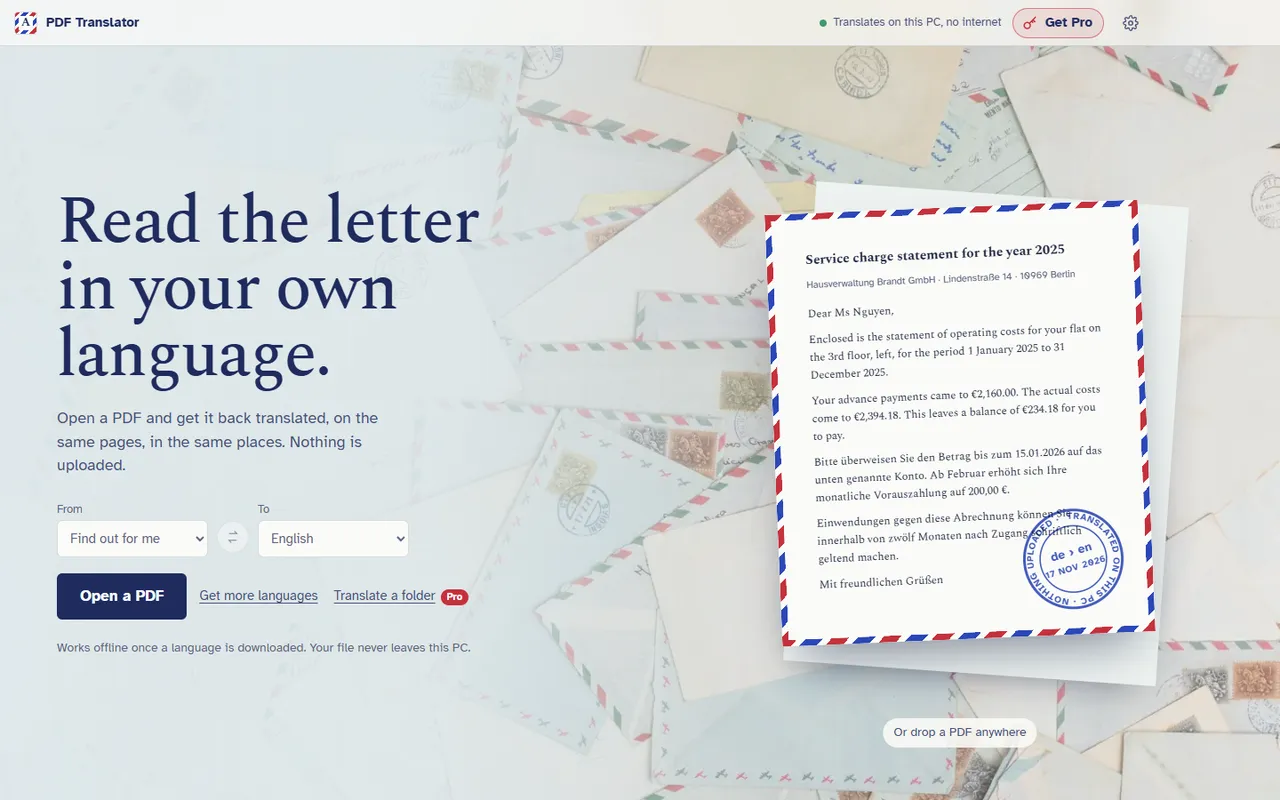
PDF Translator opening screen: a pile of airmail envelopes, a Spanish letter with a postmark, the languages to pick from and an Open a PDF button.

Features

What it does

PDF Translator opening screen: a pile of airmail envelopes, a Spanish letter with a postmark, the languages to pick from and an Open a PDF button.

The same pages, the same places

The translation is written into the boxes the original text sat in, the font shrunk to fit. Pictures and drawings are not touched, so a letter still looks like a letter.

  • Side by side

    Read the original and the translation next to each other, page by page, and watch each page being written.

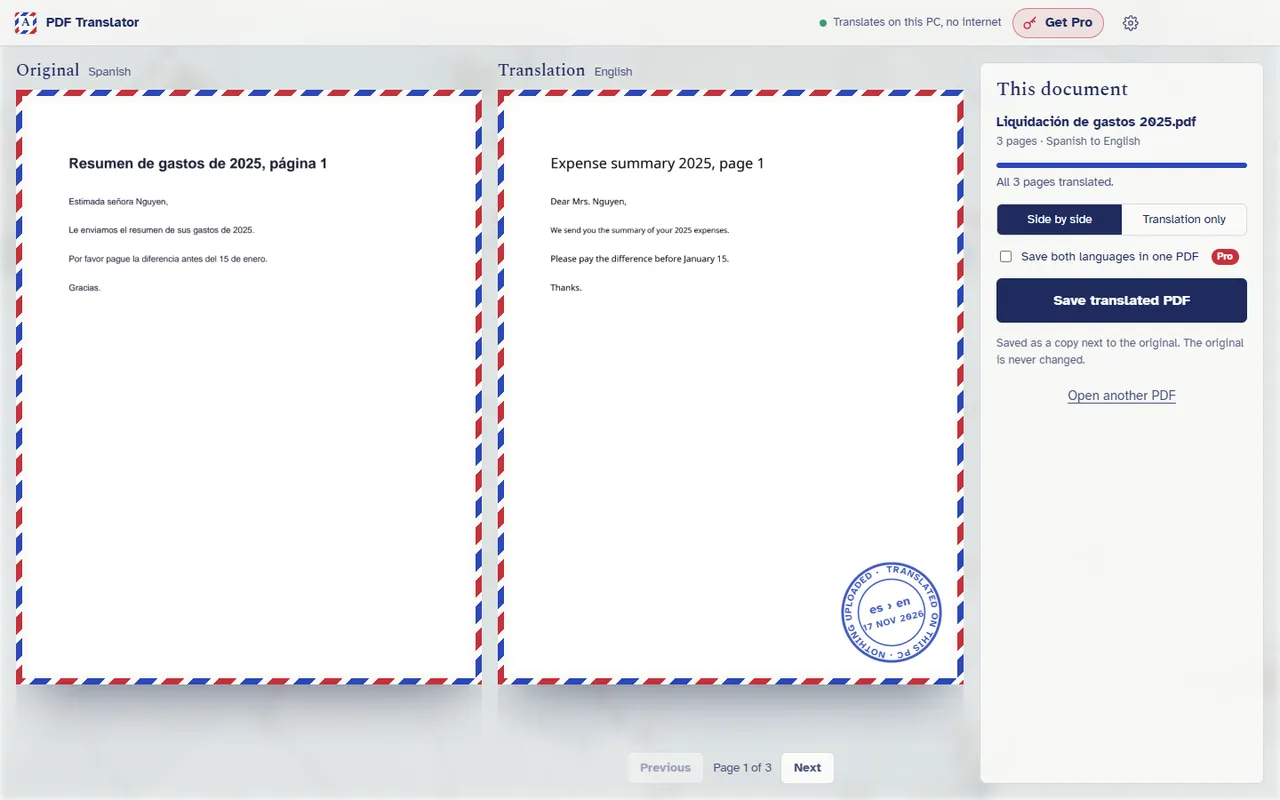
PDF Translator showing a Spanish letter and its English translation side by side on airmail-bordered pages, with a Save translated PDF button on the right.

A copy, never your original

The translated PDF is saved next to the original as “name (English).pdf”. The original is never changed.

  • Offline, and nothing uploaded

    Each language downloads once. After that your PDFs are translated on your PC and never leave it.

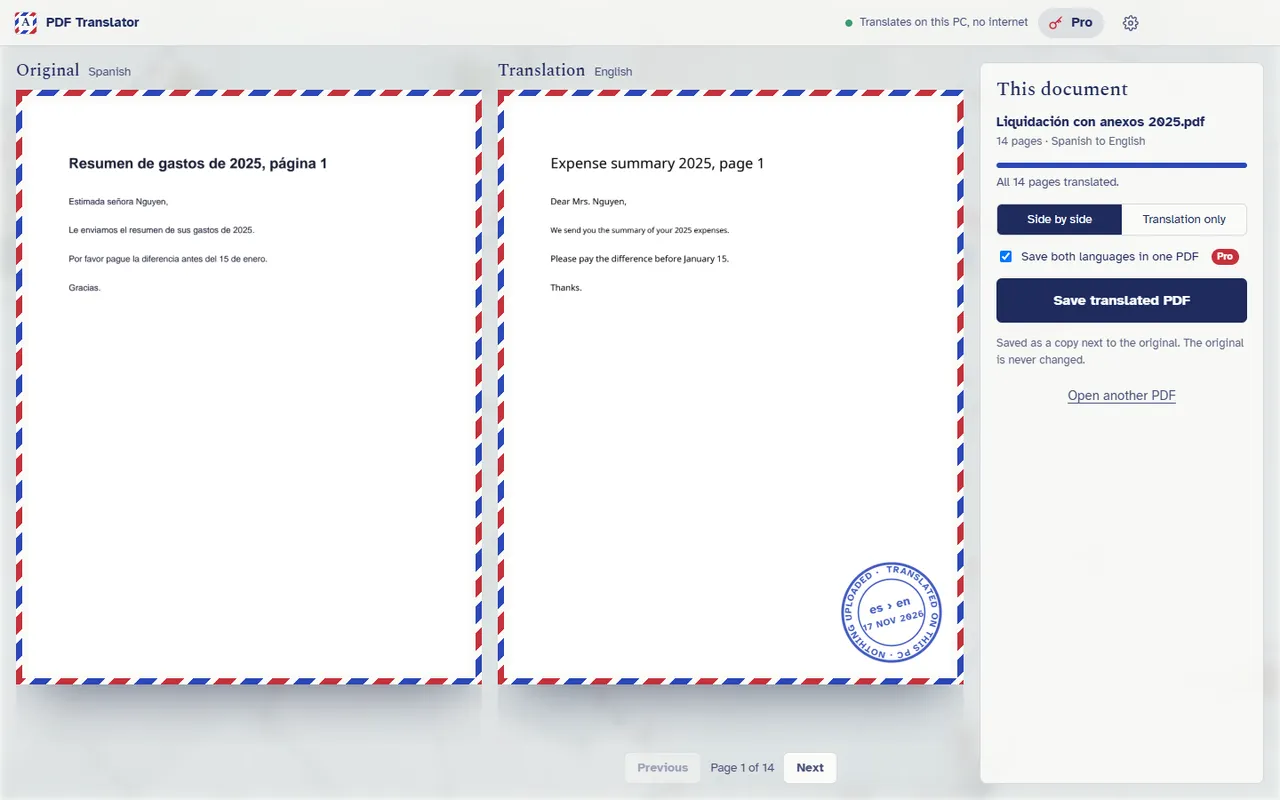
PDF Translator Pro: all 14 pages of a long file translated, with the option to save both languages in one PDF.

Pro: the whole file, a whole folder

Free translates the first 5 pages of every file. Pro does every page, a folder of PDFs in one run, and saves both languages in one PDF.

How it works

Three steps, no setup

  1. Open a PDF

    Click Open, or drop the file anywhere in the window.

  2. Pick the languages

    Let the app find out what it is written in, and choose what you want to read.

  3. Save the copy

    Check the pages, then save the translated PDF next to the original.

Pricing

Free to use, Pro when you need more

Get it free from the Microsoft Store. Pro is a one-time purchase on this website.

Free

$0

  • Any PDF that has text in it
  • The first 5 pages of every file
  • Original and translation side by side
  • A translated copy next to the original
Get it from Microsoft

Pro: everything in Free, plus

$14.99 one-time

  • Every page of long documents
  • A folder of PDFs in one run
  • Both languages in one PDF
  • On up to 3 PCs
Buy Pro

Buy Pro here and paste the key into the app's Settings. It works on up to 3 PCs, with a 14-day refund, no questions asked.

What's new

Version 1.0.0

  • First release: open a PDF and get it back translated, on the same pages and in the same places. Pick the language, or let the app find out, and save the result as a copy next to the original.
  • Watch each page being written, then see the postmark when it is done. Look at the original and the translation side by side.
  • Languages download once and then work offline. Your PDF is never uploaded, and the original is never changed.
  • Free translates the first 5 pages of every file. With Pro, translate every page, a whole folder of PDFs in one run, and save both languages in one PDF.

FAQ

Questions

Something not answered here? Ask us and you'll get a reply.

Ask a question
Is my PDF uploaded?

No. It is read, translated and written on your PC. The only downloads are the language packs you choose.

Does it work on a scanned PDF?

No. A scan is a picture with no text in it, so there is nothing to translate, and the app says so. Text recognition is not in this version.

Does it change my original?

No. It saves a new file next to it and never overwrites anything.

Is the translation always right?

No. Machine translation can be wrong, so have a person check anything legal, medical or contractual.

Which languages can it write?

It reads every language Offline Translator has. It writes languages that use the Latin, Cyrillic or Greek alphabets, and Vietnamese. Other writing systems can be read from, not into, for now.

Is it free?

Yes, for the first 5 pages of every file. Pro adds every page, a folder of PDFs in one run and both languages in one PDF for $14.99 once.

What does Pro cost?

$14.99, once. Buy it on this website and paste the license key into Settings. It works on up to 3 PCs, and there is a 14-day refund, no questions asked.

Get PDF Translator

Open a PDF and get it back translated, in the same places. Languages download once and work offline. Nothing is uploaded.

© 2026 CAO Labs