Get help

Photo & videoImage Vectorizer, free online

Turn a PNG or JPG into a clean SVG

Open a logo, sign or drawing and get sharp outlines a cutter, laser or printer can follow. It is traced on your PC, so your images never leave it. Save the SVG free; Pro adds DXF, EPS, PDF, cut lines and whole folders.

  • Free, runs in your browser
  • No account needed
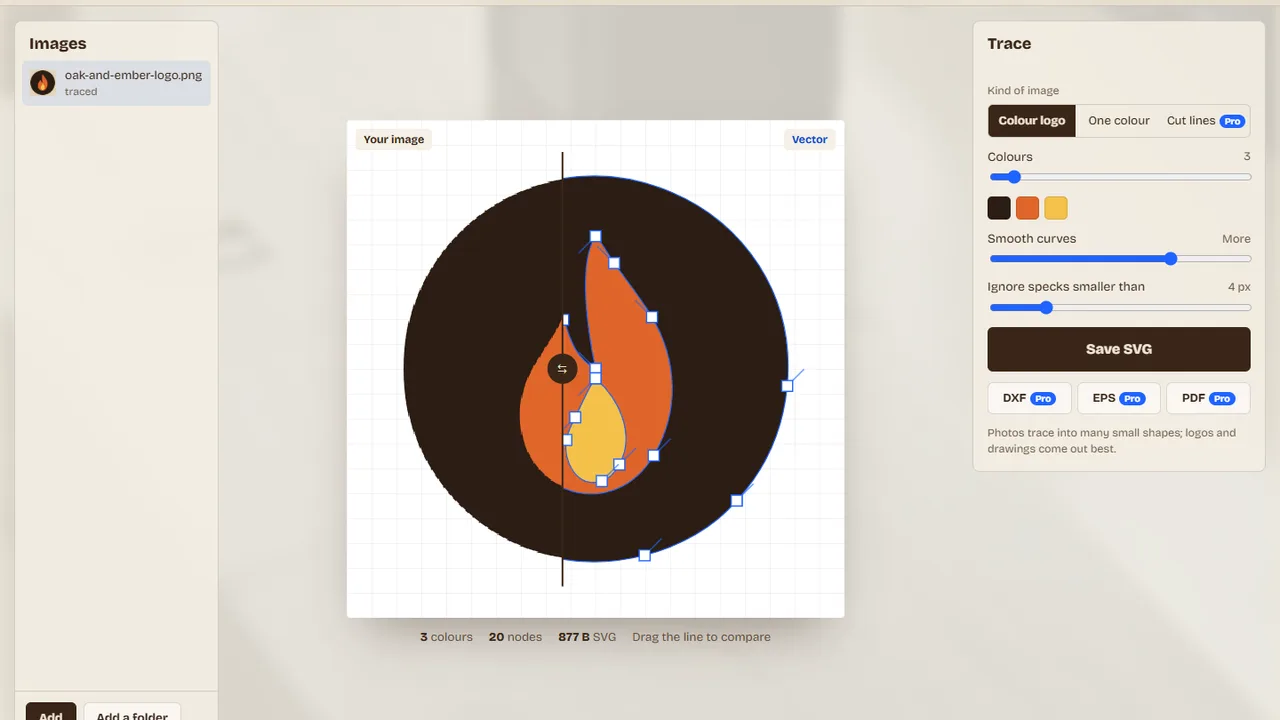
Image Vectorizer with a flame-in-a-circle logo traced: on the left the stair-stepped pixels of the original, on the right the clean vector with its outline and square nodes, split by a draggable line, with the colours, nodes and SVG size counted underneath.

Features

What it does

Image Vectorizer with a flame-in-a-circle logo traced: on the left the stair-stepped pixels of the original, on the right the clean vector with its outline and square nodes, split by a draggable line, with the colours, nodes and SVG size counted underneath.

Traced on your PC

The tracer runs inside the app, in the background, so a logo is never uploaded. It keeps working with no connection.

  • See what the machine will follow

    Drag the line across your image: the pixels on one side, the vector on the other, with every node drawn. The colours, nodes and file size are counted for you.

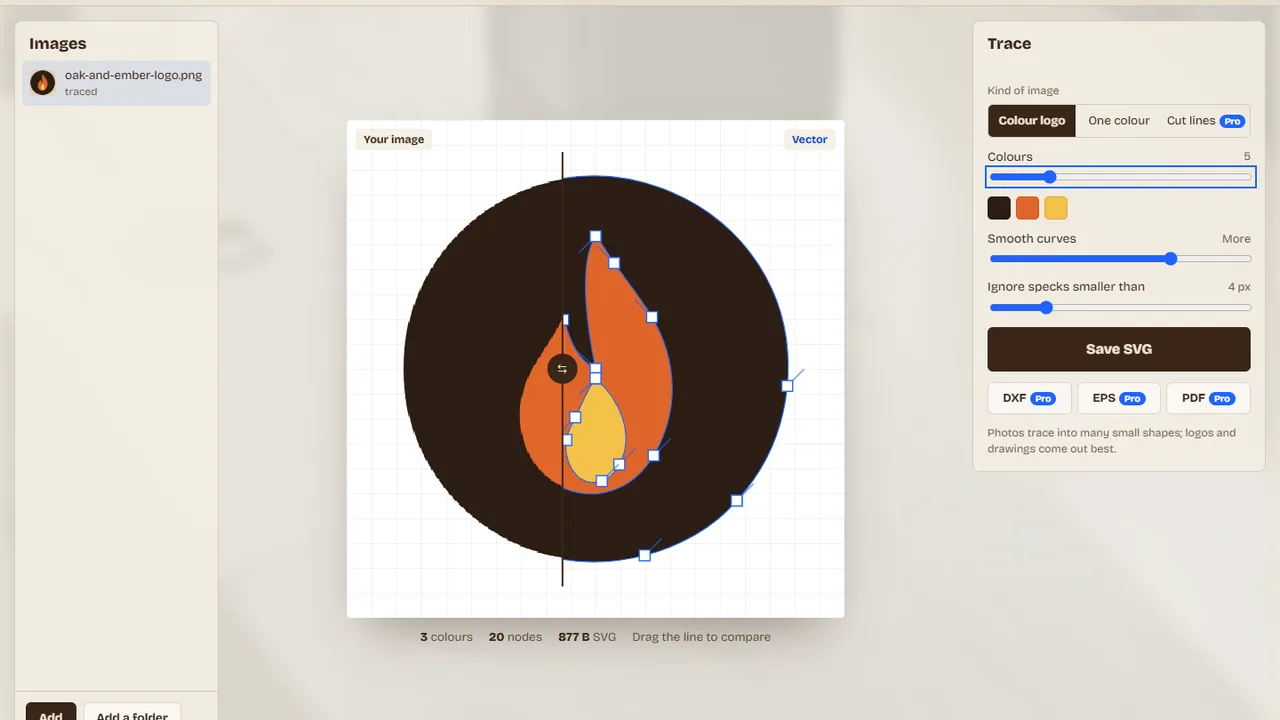
The trace settings: Colour logo, One colour or Cut lines, a slider for how many colours to keep, the colours found as swatches, smooth curves, and how small a speck to ignore, above a Save SVG button.

You choose the look

Colour logo or One colour, how many colours to keep, how smooth the curves are and which tiny specks to ignore.

  • Open it any way

    A JPG, PNG, WebP or BMP: pick it, drop it anywhere on the window or paste it from the clipboard. Big images are shrunk to 2000 px on the long side before tracing, and the app says so.

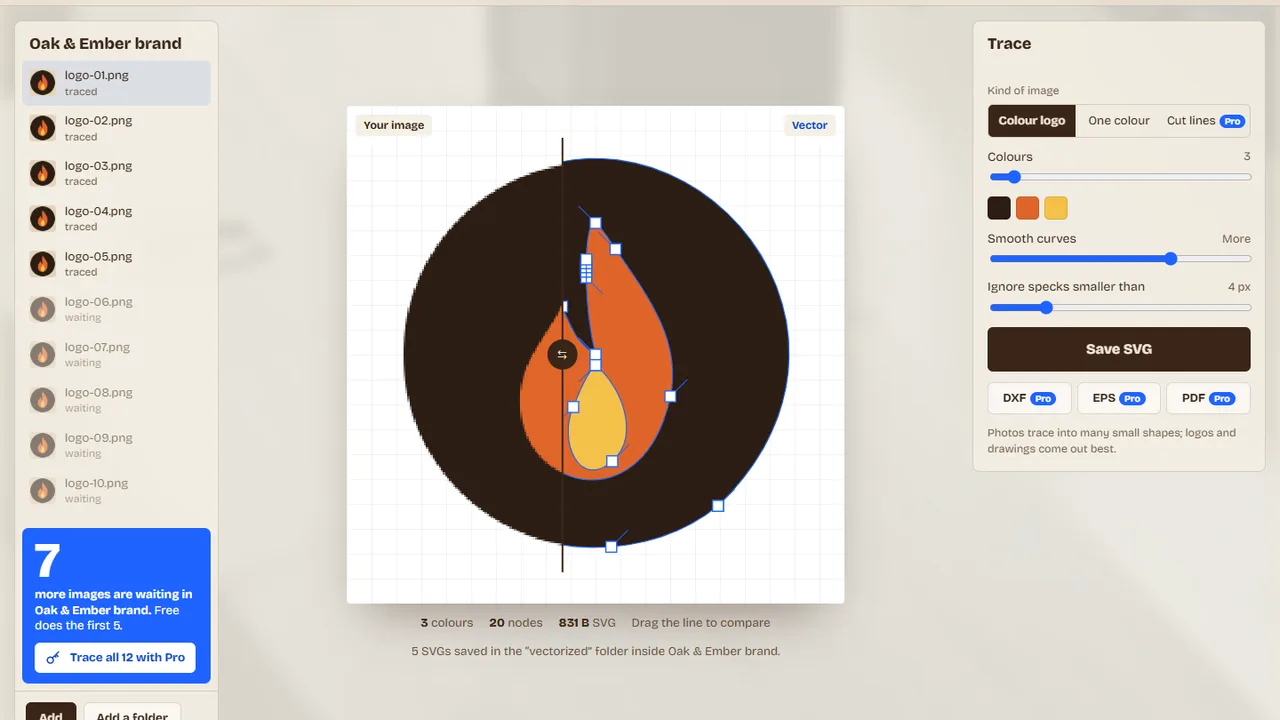
A folder of 12 images: the first 5 are traced, the rest are dimmed, and a blue panel says 7 more images are waiting in the folder with a button to trace all 12 with Pro.

Pro: cut-ready files

Save DXF with a layer per colour, EPS and PDF for cutters, lasers, CNC and print shops. Cut lines gives one clean outline per shape, with no overlaps.

  • Pro: a whole folder

    Pick a folder and every image in it is traced and saved as an SVG in a folder of its own. Free traces the first 5.

How it works

Three steps, no setup

  1. Open an image

    A logo, sign or drawing.

  2. Watch it trace

    The pen runs the outlines.

  3. Save the file

    SVG free, more with Pro.

Pricing

Free to use, Pro when you need more

Get it free from the Microsoft Store. Pro is a one-time purchase on this website.

Free

$0

  • Trace JPG, PNG, WebP and BMP images, as many as you like
  • Colour logo or One colour, with colours, smoothing and speck settings
  • Save the SVG
  • The first 5 images of a folder
Get it from Microsoft

Pro: everything in Free, plus

$9.99 one-time

  • Save DXF, EPS and PDF
  • Cut lines: one outline per shape, no overlaps
  • Trace a whole folder in one run
  • One payment, up to 3 PCs
Buy Pro

Buy Pro here and paste the key into the app's Settings. It works on up to 3 PCs, with a 14-day refund, no questions asked.

What's new

Version 1.0.0

  • First release: turn a logo, sign or drawing (JPG, PNG, WebP or BMP) into a clean SVG. Open it, paste it or drop it in; it is traced on your PC and never uploaded.
  • Choose Colour logo or One colour, how many colours to keep, how smooth the curves are and which specks to ignore. Drag the line across the picture to compare your image with the vector, with every node drawn.
  • Save the SVG for free.
  • Pro saves DXF, EPS and PDF for cutters, lasers, CNC and print shops, adds Cut lines (one clean outline per shape, no overlaps) and traces a whole folder of images in one run. Free traces the first 5 images of a folder.

FAQ

Questions

Something not answered here? Ask us and you'll get a reply.

Ask a question
Is my image uploaded?

No. The image is traced on your PC, in the app. It is not sent to us or anyone else, and nothing is kept after you close it.

What kind of image works best?

Logos, line art, signs and lettering. A photo traces into many small shapes and makes a big file, so it is better left as a photo.

Which files can I open?

JPG, PNG, WebP and BMP. An image larger than 2000 px on its long side is shrunk to that before tracing; the app tells you when it does.

What do the file types do?

SVG opens in any design or cutting program. DXF is the drawing format cutters, lasers and CNC machines read; each colour is its own layer. EPS and PDF are for print shops. One pixel is one unit in DXF, EPS and PDF.

What are cut lines?

One outline for each shape, with no fill and no overlapping shapes, ready to cut. Only the outside of each shape is kept, so the middle of an O or an A is not cut out.

What does the folder do?

You pick a folder; each image in it is traced and saved as an SVG in a new folder called vectorized inside it. Free does the first 5 images; Pro does them all.
Get Image Vectorizer

Open a logo, sign or drawing and get sharp outlines a cutter, laser or printer can follow. It is traced on your PC, so your images never leave it. Save the SVG free; Pro adds DXF, EPS, PDF, cut lines and whole folders.

Tracing uses VTracer from visioncortex (MIT or Apache-2.0).

© 2026 CAO Labs