Get help

For clinics and billersHCPCS Code Lookup, free online

HCPCS code lookup, offline

Look up any HCPCS Level II code, offline and free: supplies, equipment, ambulance and drugs. Search by the code or by words, and see what it means, whether it is current, and when it was added or ended. Check a whole claim’s codes at once with Pro.

  • Free, runs in your browser
  • No account needed
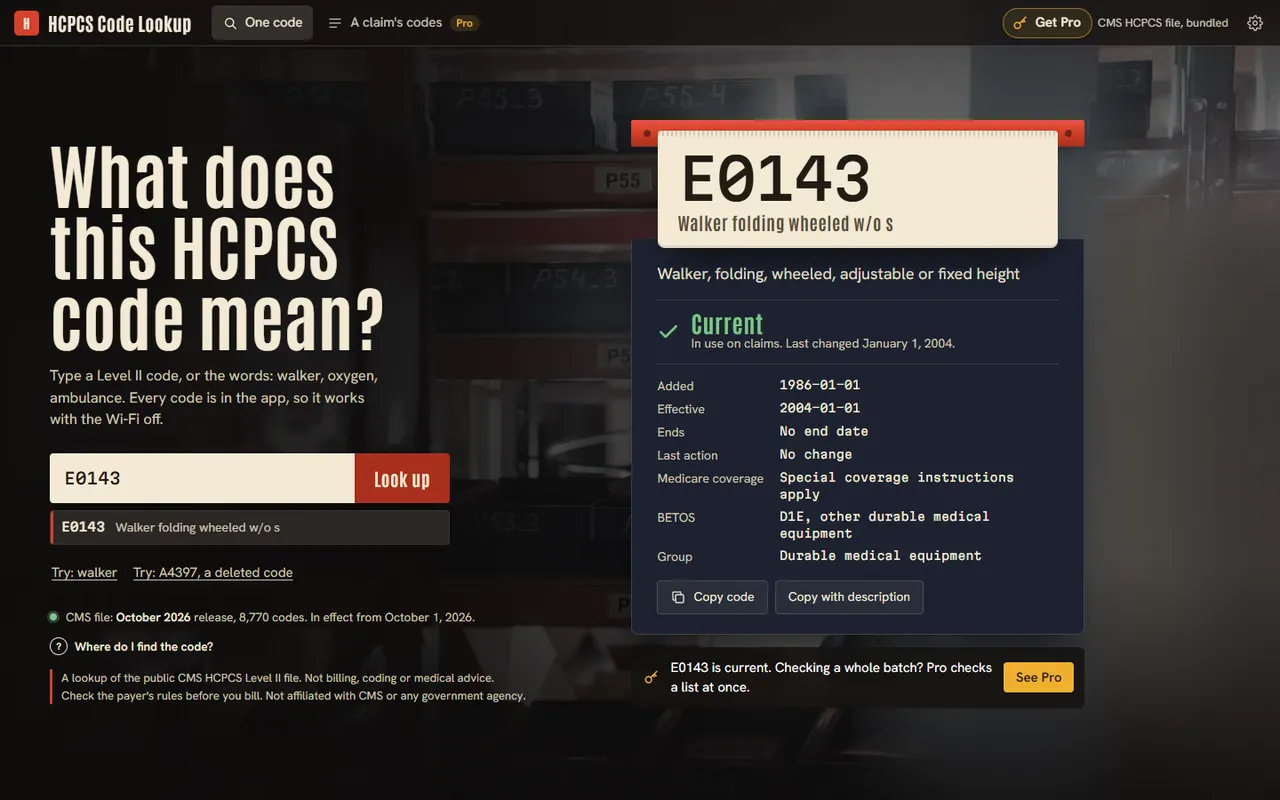
HCPCS Code Lookup over a photo of red steel racking with labelled bins: code E0143 on a cream shelf tag clipped to a red rail, and under it the bin with the description, a green Current status, the added and action dates and the Medicare coverage.

Features

What it does

HCPCS Code Lookup over a photo of red steel racking with labelled bins: code E0143 on a cream shelf tag clipped to a red rail, and under it the bin with the description, a green Current status, the added and action dates and the Medicare coverage.

Search by the code or by words

Type E0143, or just walker, oxygen or ambulance. Matches appear as you type, best first, and Enter opens the top one.

  • Every code, on its shelf tag

    The code, its short description and the full long description from the CMS file, with the group it belongs to: supplies, equipment, drugs, orthotics.

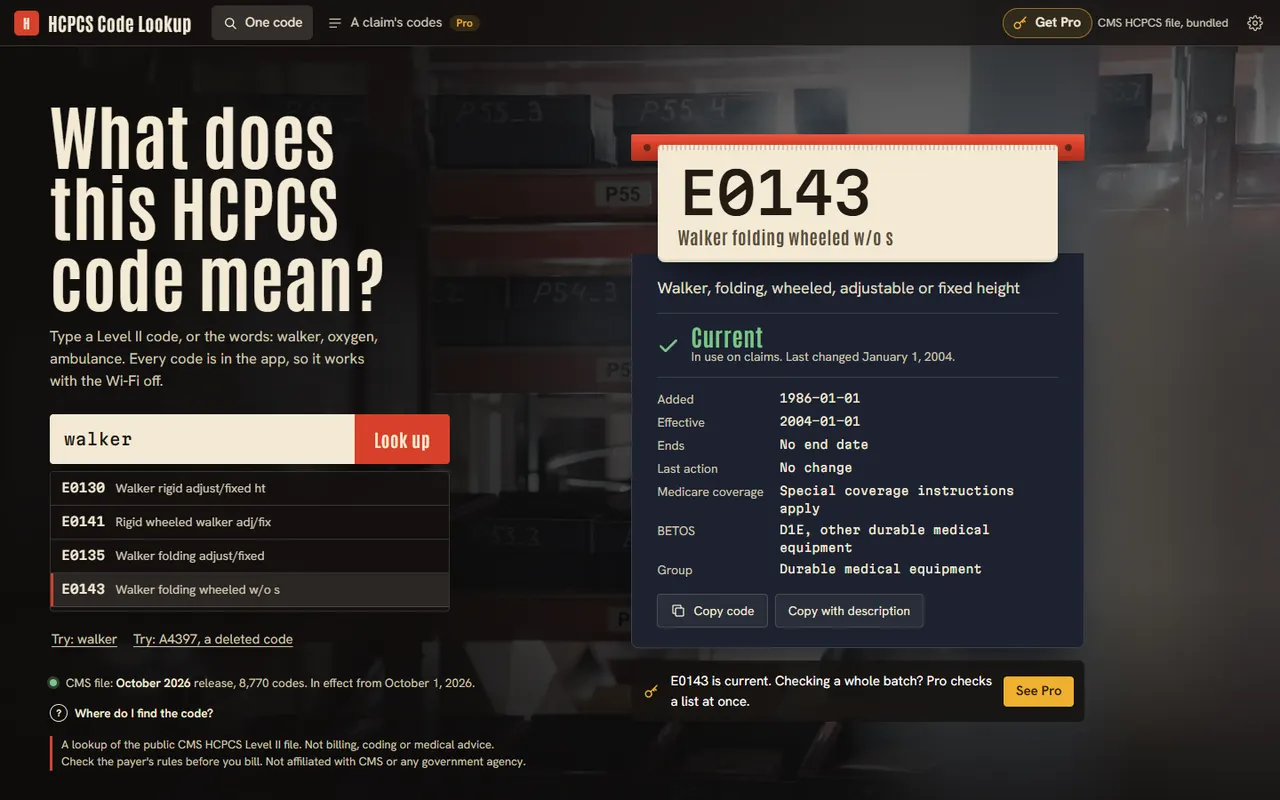
The word walker typed in the search box, with the matching codes listed under it: E0130, E0141, E0135 and E0143, the last one highlighted and open on its tag.

Current, changed or deleted

Each code says plainly whether it is current, new this quarter, changed this quarter or deleted, and the date it ended, so a claim is not rejected for a dead code.

  • The dates and the coverage

    Added, effective and end dates, the last action CMS took, the Medicare coverage code and the BETOS group where the file has them.

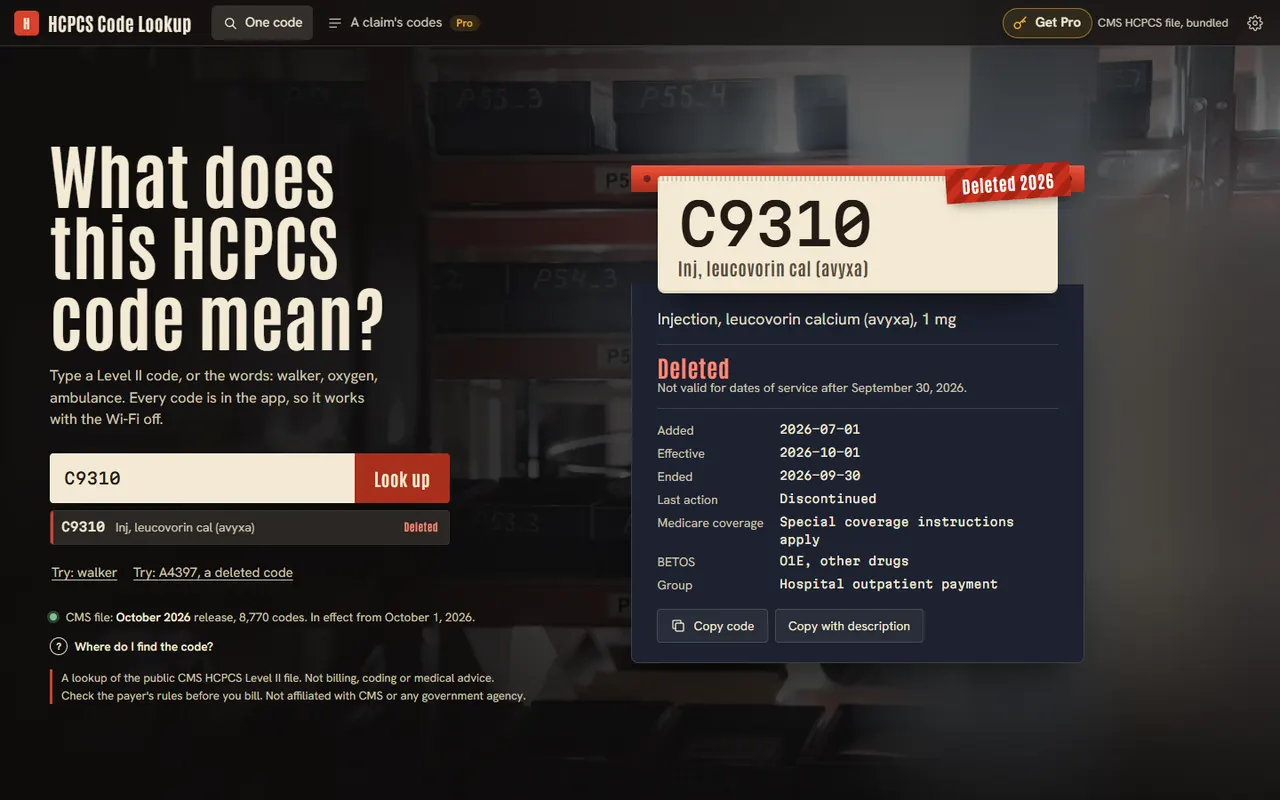
Code C9310 with red tape across its tag that says Deleted 2026, and the bin showing that it was added July 1, 2026, became effective October 1, 2026 and ended September 30, 2026.

Works with the Wi-Fi off

The whole CMS quarterly file is inside the app, and the page says which quarter. Nothing you look up leaves your PC.

  • Pro: check a whole claim

    Paste or import a list of codes; each gets its description and status. Deleted and changed codes for this quarter come first, and the list exports to CSV.

How it works

Three steps, no setup

  1. Type the code or a word

    From the claim, the remittance advice or the invoice.

  2. Read the tag

    What it is, and whether it is current.

  3. Check the dates

    Added, changed, ended.

Pricing

Free to use, Pro when you need more

Get it free from the Microsoft Store. Pro is a one-time purchase on this website.

Free

$0

  • Every single lookup, complete, for good
  • Search by code or by words in the long and short descriptions
  • Added, effective and end dates, action, coverage and BETOS
  • Copy the code, or the code with its description
  • Works offline
  • Check the first 5 codes of any list
Get it from Microsoft

Pro: everything in Free, plus

$9.99 one-time

  • Paste or import a list of codes; each gets its description and status.
  • Flags deleted and changed codes for this quarter.
  • Export to CSV for your billing system.
  • One payment, up to 3 PCs
Buy Pro

Buy Pro here and paste the key into the app's Settings. It works on up to 3 PCs, with a 14-day refund, no questions asked.

What's new

Version 1.0.0

  • First release: look up any HCPCS Level II code by the code or by words, and read what it means: the long and short descriptions, whether it is current, and when it was added, last changed or ended.
  • Shows what changed in the quarter's file (added, changed, deleted), the Medicare coverage code and the BETOS group where the file has them.
  • The whole CMS October 2026 file, 8,770 codes, is inside the app, so it works with the Wi-Fi off and nothing you look up leaves your PC.
  • Check the first 5 codes of any pasted list or CSV in full. Pro checks the whole list, flags deleted and changed codes, and exports to CSV.

FAQ

Questions

Something not answered here? Ask us and you'll get a reply.

Ask a question
Where do I find the code?

On the claim (CMS-1500, box 24D), the remittance advice, the supplier’s invoice or the fee schedule. A HCPCS Level II code is a letter and four digits: E0143, J1100, K0001.

What is a HCPCS Level II code?

HCPCS is the Healthcare Common Procedure Coding System. Level I is the AMA’s CPT codes for physician services; Level II is the alphanumeric part that CMS publishes for supplies, durable medical equipment, ambulance, prosthetics and drugs, such as E0143 for a wheeled walker or K0001 for a standard wheelchair.

Which quarter is this?

The October 2026 release of the CMS HCPCS file, in effect from October 1, 2026, 8,770 codes. The app says which quarter on its first screen, and is updated when CMS posts the next one.

Why does a code say Deleted?

CMS gave the code an end date that has passed, so it is no longer valid for dates of service after it. The page shows the date. Look for the code that replaced it in the CMS file or with your payer.

Is this the official file?

The codes, descriptions and dates are the CMS HCPCS Level II file, unchanged. The app is not official and not affiliated with CMS or any government agency. Check the payer’s rules before you bill.

Does it work offline?

Yes. The whole file is part of the app. After the first launch it opens and searches with no connection at all.

Do you see what I look up?

No. There is no server: the file is in the app, and nothing you type, paste or check is sent anywhere.

Get HCPCS Code Lookup

Look up any HCPCS Level II code, offline and free: supplies, equipment, ambulance and drugs. Search by the code or by words, and see what it means, whether it is current, and when it was added or ended. Check a whole claim’s codes at once with Pro.

A lookup of the public CMS HCPCS Level II file. Not billing, coding or medical advice. Check the payer's rules before you bill. Not affiliated with CMS or any government agency.

© 2026 CAO Labs