Get help

Photo & videoFace Blur for Windows

Blur faces in photos and videos on Windows

Open a photo, a video or a folder. Face Blur finds every face, you check each one, and it saves a blurred copy. Everything happens on your PC, so nothing is uploaded.

  • Free in the Microsoft Store
  • No account needed
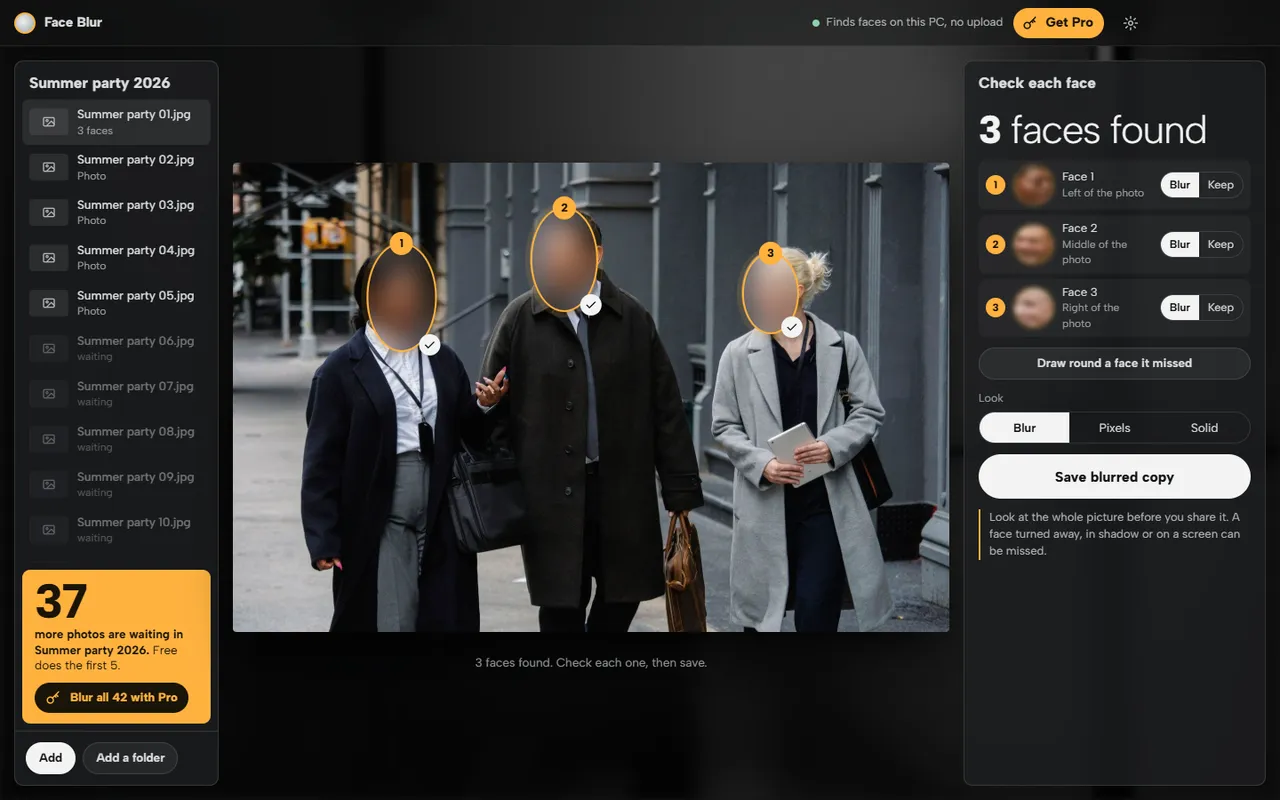
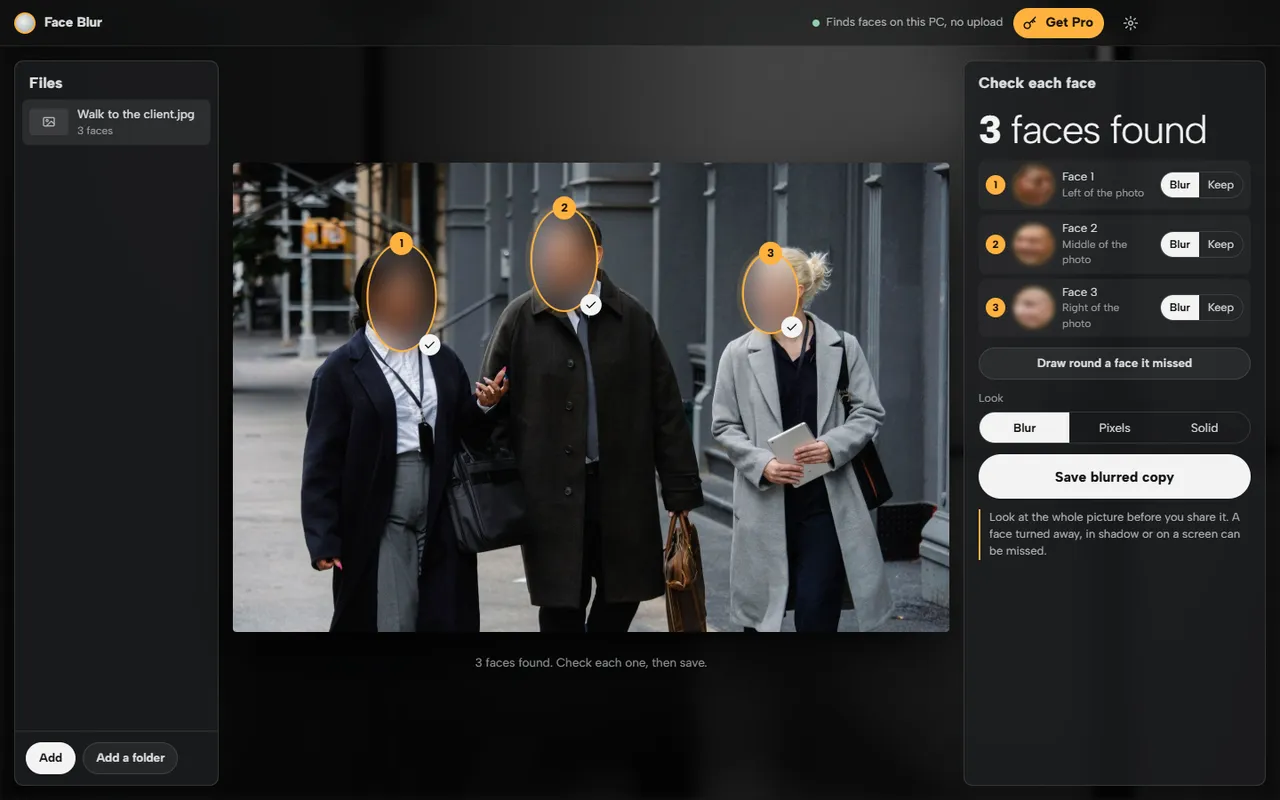
Face Blur with a photo of three people, a numbered amber ring and frosted blur on each face, and the list of faces to check on the right.

Features

What it does

Face Blur with a photo of three people, a numbered amber ring and frosted blur on each face, and the list of faces to check on the right.

Every face, found and numbered

Face Blur looks for faces the way a person would scan the picture, and draws a numbered ring round each one. It runs on your PC, in a second or two for a photo.

  • You check every face

    Blur the faces you want hidden and keep the ones you want seen. If it missed one, draw round it. For a video, say from when to when.

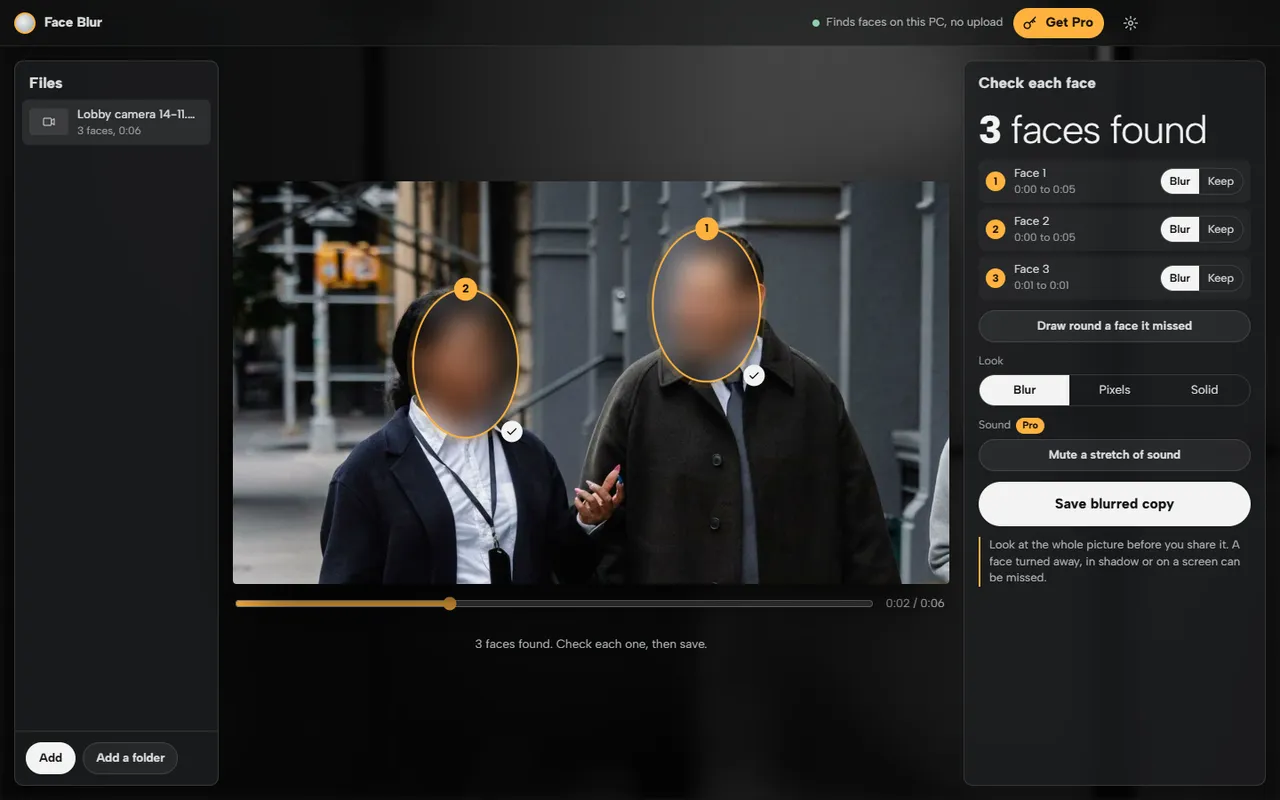
Face Blur on a video with rings following two faces and a scrubber under the picture.

Blur that cannot be undone

Blur, Pixels or Solid. The blur shrinks the face to a handful of samples before it smooths it, so there is nothing left to sharpen back.

  • A copy, with no location in it

    The blurred picture is saved next to the original as "(blurred)". Your original is never changed, and the copy carries no GPS, camera or date details.

Face Blur with a folder of photos listed on the left, the first five ready and the rest waiting.

Video, with the rings following each face

Scrub through the clip to check. The faces are followed from frame to frame, the picture quality stays the original’s, and the sound is kept.

  • Pro: any length, whole folders, muted names

    Blur videos of any length, a whole folder of photos in one run, and mute a stretch of sound where a name is said out loud.

How it works

Three steps, no setup

  1. Open a photo, video or folder

    JPG, PNG, WebP, HEIC, MP4, MOV, MKV, WebM and AVI. Or drop them anywhere.

  2. Check each face

    Blur or keep each ring, and draw round any face it missed.

  3. Save a blurred copy

    Next to the original, as a new file.

Pricing

Free to use, Pro when you need more

Get it free from the Microsoft Store. Pro is a one-time purchase on this website.

Free

$0

  • Photos, one at a time, of any size
  • The first 5 photos of a folder
  • The first 30 seconds of a video
  • Blur, Pixels or Solid
  • Draw round a face it missed
  • Originals never changed; copies carry no location
Get it from Microsoft

Pro: everything in Free, plus

$19.99 one-time

  • Videos of any length
  • A whole folder of photos in one run
  • Mute a stretch of a video’s sound
Buy Pro

Buy Pro here and paste the key into the app's Settings. It works on up to 3 PCs, with a 14-day refund, no questions asked.

What's new

Version 1.0.0

  • First release. Open a photo, a video or a folder, and Face Blur finds every face and draws a numbered ring round it.
  • Check each face, keep the ones you want seen, and draw round a face it missed.
  • Choose Blur, Pixels or Solid, then save a blurred copy next to the original. The original is never changed, and the copy carries no location or camera details.
  • Videos: the rings follow each face, with a scrubber to check, and the sound is kept. Blurring a video is Pro past the first 30 seconds.
  • Everything happens on your PC. Nothing is uploaded.

FAQ

Questions

Something not answered here? Ask us and you'll get a reply.

Ask a question
How do I blur faces in a photo on Windows?

Open Face Blur and open the photo. It draws a numbered ring round every face it finds. Choose Blur or Keep for each one, then Save blurred copy: the new picture is saved next to the original.

How do I blur faces in a video?

Open the video. Face Blur finds the faces and follows them; scrub through to check. Then Save blurred copy. Without Pro the first 30 seconds are blurred and the file says so in its name; Pro does any length.

Is it sure to find every face?

No program is. A face turned away, in shadow, very small or on a screen can be missed. That is why Face Blur shows you each face before it saves, lets you draw round one it missed, and asks you to look at the whole picture before you share it.

Can the blur be undone?

No. Face Blur reduces each face to about ten samples across before it smooths it, so the detail is gone from the saved copy. Your original photo is untouched, so keep it somewhere safe.

Are my photos or videos uploaded anywhere?

No. The face finder is part of the app and runs on your PC. Face Blur only goes online to activate a Pro license, to check our website for news about our other apps (you can turn that off), and to send anonymous crash reports if you turn them on.

Does the saved photo still have the location in it?

No. The copy is a new file built from the picture alone, so the GPS position, camera model and date are not carried over.

Which files can I open?

Photos: JPG, PNG, WebP and HEIC. Videos: MP4, MOV, MKV, WebM and AVI.

What does Pro cost?

$19.99, once. Buy it on this website and paste the license key into Settings. It works on up to 3 PCs, and there's a 14-day refund, no questions asked.

Get Face Blur

Open a photo, a video or a folder. Face Blur finds every face, you check each one, and it saves a blurred copy. Everything happens on your PC, so nothing is uploaded.

© 2026 CAO Labs