Get help

BusinessConstruction Daily Log for Windows

Construction daily log app for Windows

Log the jobsite day on one strip: crew, deliveries, inspections, delays and photos, with the National Weather Service record saved beside it and a signed PDF at close-out.

  • Free in the Microsoft Store
  • No account needed
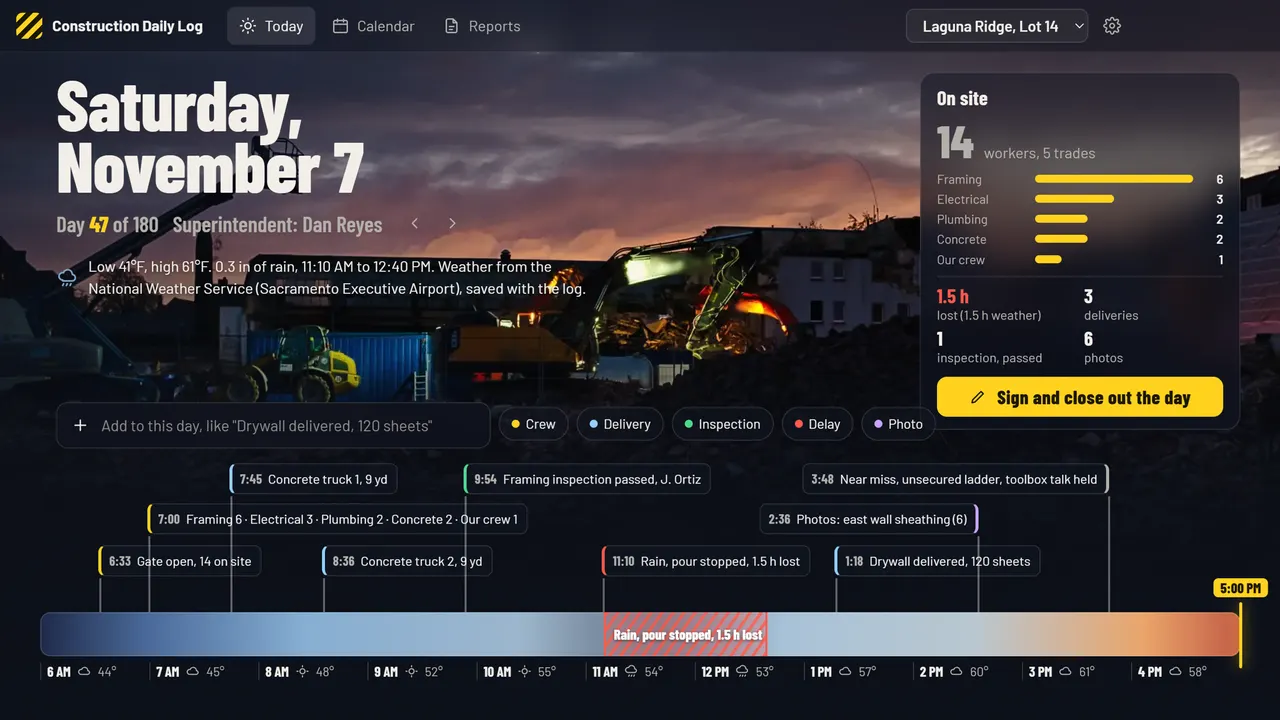
Construction Daily Log: the date set large over a jobsite at dusk, the crew by trade on a glass card, and the day from 6 AM to 5 PM across the bottom with each entry pinned at its time and a red hatched band where rain stopped work.

Features

What it does

Construction Daily Log: the date set large over a jobsite at dusk, the crew by trade on a glass card, and the day from 6 AM to 5 PM across the bottom with each entry pinned at its time and a red hatched band where rain stopped work.

The day on one strip

Every entry is pinned at its time from 6 AM to 5 PM: crews, deliveries, inspections, delays, photos. Rain that stopped work shows as a red band with the hours lost.

  • Weather that stands as evidence

    The National Weather Service record for the job's address is saved with each day: the nearest station's readings, hour by hour, with the reports as issued.

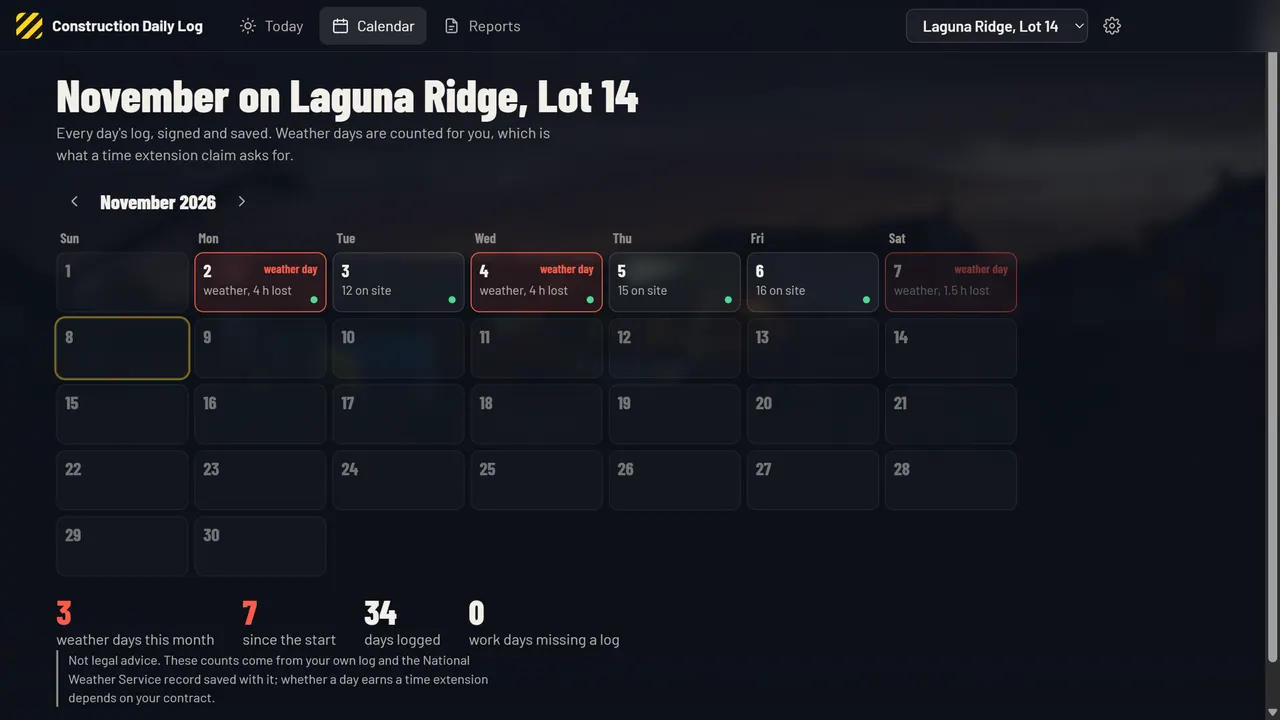
The calendar: a month of signed logs, weather days outlined in red, and the totals for a time extension claim.

One line to add anything

Type "Drywall delivered, 120 sheets" or "Rain, pour stopped 11:10 to 12:40". The time, the kind and the hours lost are read from what you type.

  • Photos pinned by when they were taken

    Pick the photos from your phone; each batch lands at the time the camera recorded, and on the right day.

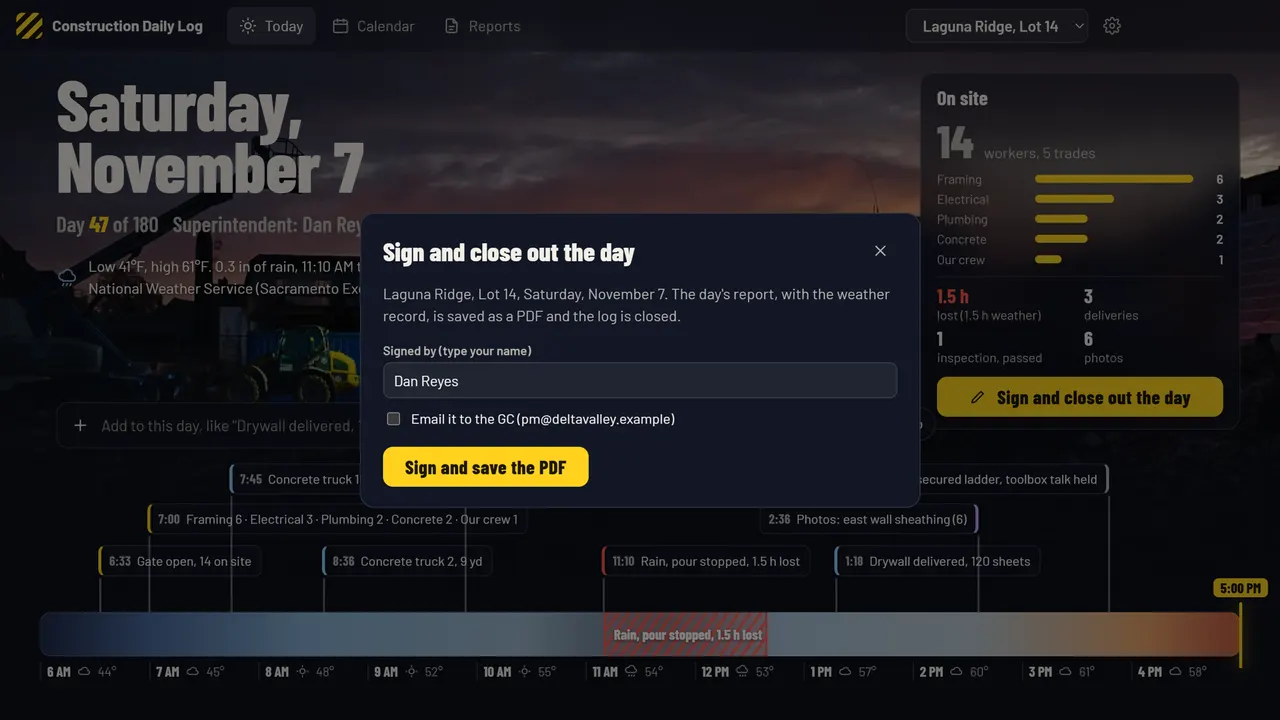
Sign and close out the day: the superintendent types their name, and the report with the weather record is saved as a PDF and can be emailed to the GC.

Sign and close out

One button saves a signed PDF of the day with its weather, crew, entries and photos, and opens an email to the GC if you want.

  • Weather days, counted

    With Pro, the calendar counts weather days this month and since the start, days logged and work days missing a log.

How it works

Three steps, no setup

  1. Add the job

    Its name and address, the first day on site, the superintendent.

  2. Log the day

    One line at a time, or a chip for crew, delivery, inspection, delay, photo.

  3. Sign and close out

    A PDF with the weather record, and an email to the GC if you want.

Pricing

Free to use, Pro when you need more

Get it free from the Microsoft Store. Pro is a one-time purchase on this website.

Free

$0

  • One job, every day logged with its weather record
  • Crew, deliveries, inspections, delays and photos
  • Signed close-out PDF and an email draft to the GC
  • The calendar of weather days
Get it from Microsoft

Pro: everything in Free, plus

$9.99 one-time

  • Any number of jobs
  • The calendar's time-extension totals
  • Every entry, and the weather days, as spreadsheets (CSV)
Buy Pro

Buy Pro here and paste the key into the app's Settings. It works on up to 3 PCs, with a 14-day refund, no questions asked.

What's new

Version 1.2.1

  • Settings has a new "Report a problem" form: tell us what went wrong, and leave your email if you want an answer.
  • You can turn on crash reports in Settings to help us fix problems faster. They are off unless you turn them on, and file paths, email addresses and your user name are removed before anything is sent.

Version 1.2.0

  • "Get Pro" at the top of the window shows what Pro adds and its price, and takes your license key right there, without opening Settings. During a sale, it shows the sale price.

Version 1.0.0

  • First release: the jobsite day on one strip from 6 AM to 5 PM, the National Weather Service record saved with every day, photos pinned at the time they were taken, and a signed close-out PDF with an email draft to the GC.
  • The calendar of weather days; with Pro, the time-extension totals and CSV exports.

FAQ

Questions

Something not answered here? Ask us and you'll get a reply.

Ask a question
Where does the weather come from?

The National Weather Service (api.weather.gov). The job's address is turned into a map point once by the US Census Bureau's geocoder; after that the app asks NWS for the nearest station's readings for each day and saves them with the log.

Can I log a day after the fact?

Yes. Go back a day, or pick it on the calendar. NWS keeps about a week of station readings, so the weather for a day is best saved within a few days.

Does it count weather days for a time extension?

With Pro, the calendar counts the days with a weather delay you logged, this month and since the start. Not legal advice: whether a day earns a time extension depends on your contract.

Is there dictation?

Not built in. Windows voice typing (Windows key + H) types into the add bar like any other text box.

Where is my data kept?

On your PC, in the app’s own data folder: the log, the photos and the PDFs. There is no account and no server.

What does Pro cost?

$9.99, once. Buy it on this website and paste the license key into Settings. It works on up to 3 PCs, and there is a 14-day refund, no questions asked.

Get Construction Daily Log

Log the jobsite day on one strip: crew, deliveries, inspections, delays and photos, with the National Weather Service record saved beside it and a signed PDF at close-out.

Not legal advice. Weather-day counts come from your own log and the National Weather Service record saved with it; whether a day earns a time extension depends on your contract. Not affiliated with the National Weather Service or the US Census Bureau.

© 2026 CAO Labs