Get help

Photo & videoCaptionForge for Windows

Transcribe video to text on Windows

Drop in a video or a recording and get every word, with timings, as text or SRT and VTT subtitles. Transcribed on your PC, so nothing is uploaded.

  • Free in the Microsoft Store
  • No account needed
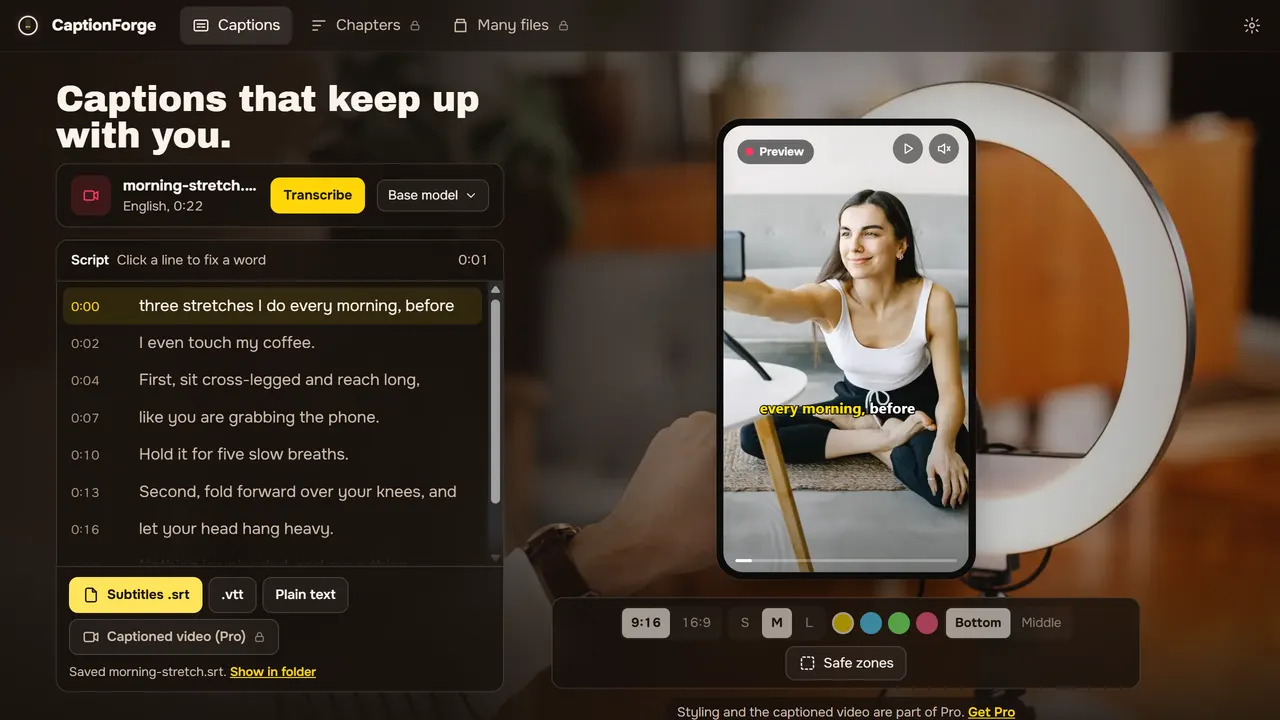
CaptionForge with a transcribed video playing in a phone in a ring light, its captions popping word by word, and every script line with its time beside it.

Features

What it does

CaptionForge with a transcribed video playing in a phone in a ring light, its captions popping word by word, and every script line with its time beside it.

Every word, with timings

CaptionForge listens with Whisper, the open speech model, and writes down every word with its time. It detects the language by itself, or you pick it.

  • Subtitles ready for YouTube and editors

    Save SRT or VTT for YouTube, Premiere Pro or DaVinci Resolve, or plain text for notes and show notes. Fix a word first; the timings stay.

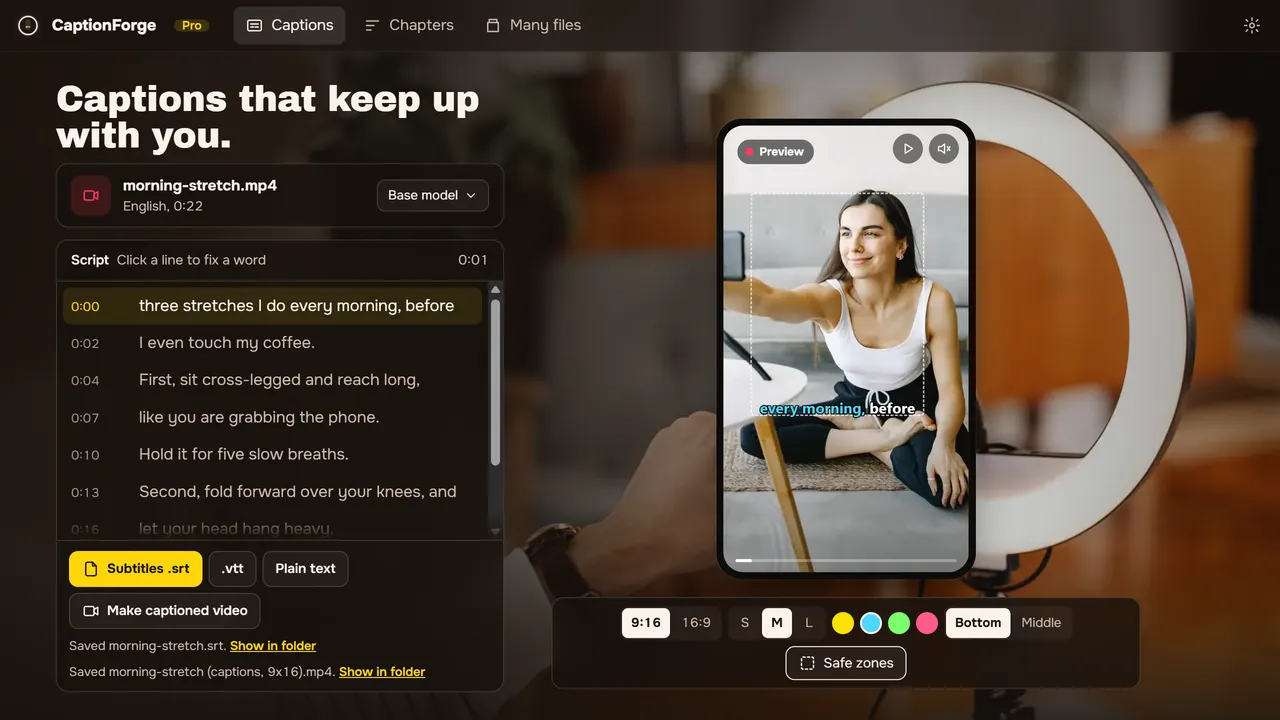
CaptionForge Pro making a vertical video with word-by-word captions inside the TikTok, Reels and Shorts safe zone.

Pro: captions burned into the video

Word-by-word highlighted captions written into a new MP4, vertical for TikTok, Reels and Shorts or landscape for YouTube, kept clear of the app buttons.

  • Pro: more accurate, any length

    Small, Medium and Large Turbo models for names, accents and noisy rooms. No 10-minute limit, many files in one go, and YouTube chapters from the transcript.

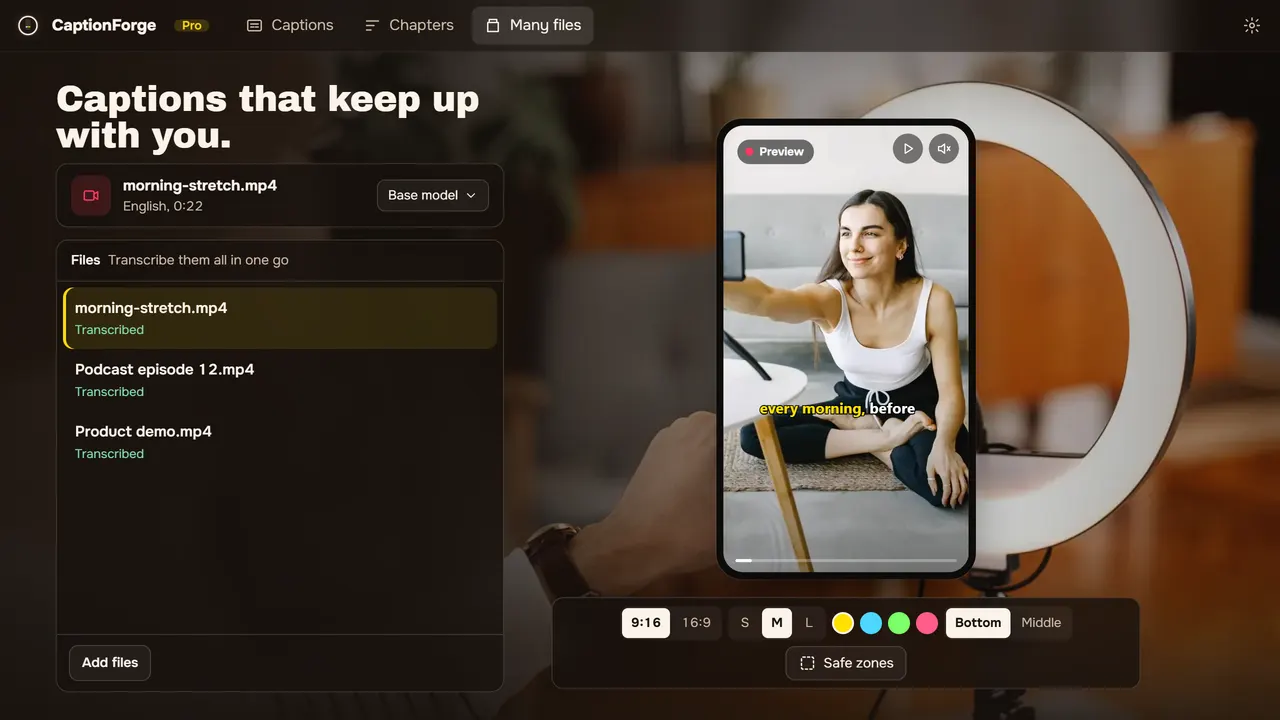
CaptionForge Pro with three videos transcribed in one go, listed with their status.

Your recordings stay private

Video and audio never leave your PC: there is no upload and no account. CaptionForge goes online only to download a speech model the first time you use it.

  • Fits right into Windows

    Right-click a video in File Explorer, choose Open with, then CaptionForge. Your originals are never changed, and saved files never overwrite anything.

How it works

Three steps, no setup

  1. Drop a video or recording

    MP4, MOV, MKV, WEBM, MP3, WAV, M4A and more.

  2. Transcribe

    Every word appears with its time, on your PC.

  3. Save subtitles or text

    SRT, VTT or TXT next to the original, or a captioned video with Pro.

Pricing

Free to use, Pro when you need more

Get it free from the Microsoft Store. Pro is a one-time purchase on this website.

Free

$0

  • Video and audio up to 10 minutes
  • Tiny and Base speech models
  • Up to 5 files in one go
  • Automatic language detection
  • Edit the transcript before you save
  • Save TXT, SRT or VTT
  • Originals never changed or overwritten
Get it from Microsoft

Pro: everything in Free, plus

$14.99 one-time

  • Word-by-word captions burned into a new MP4
  • Small, Medium and Large Turbo models
  • Files of any length, a whole list at once
  • YouTube chapters from your transcript
Buy Pro

Buy Pro here and paste the key into the app's Settings. It works on up to 3 PCs, with a 14-day refund, no questions asked.

What's new

Version 1.4.0

  • After you've used the app a few times, one quiet line under a result offers to open the Microsoft Store's rating box. It asks once, at most twice, never interrupts your work, and you can simply carry on.
  • Settings has a new "Report a problem" form: tell us what went wrong, and leave your email if you want an answer.
  • You can turn on crash reports in Settings to help us fix problems faster. They are off unless you turn them on, and file paths, email addresses and your user name are removed before anything is sent.

Version 1.3.0

  • The Pro details and wording now stay current from our website, without waiting for an app update.

Version 1.2.0

  • Free now transcribes up to 5 files at a time instead of one.
  • "Get Pro" at the top of the window shows what Pro adds and its price, and takes your license key right there, without opening Settings. During a sale, it shows the sale price.
  • Pro features are marked with a small "Pro" tag instead of a padlock.

FAQ

Questions

Something not answered here? Ask us and you'll get a reply.

Ask a question
How do I transcribe a video to text on Windows?

Open CaptionForge, drop the video onto it and choose Transcribe. Every word appears with its time; then save it as TXT, SRT or VTT.

Is it free?

Yes, for videos and recordings up to 10 minutes with the Tiny and Base models, and TXT, SRT and VTT export. Pro adds longer files, more accurate models, burned-in captions and chapters.

How do I add captions or subtitles to a video?

Save an SRT file and upload it with your video on YouTube, or import it into Premiere Pro or DaVinci Resolve. With Pro, CaptionForge can also burn word-by-word captions straight into a new MP4.

Can it make TikTok-style auto captions?

With Pro, yes: choose Vertical, a highlight colour and a size, then Make captioned video. Each word lights up as it is spoken, and the captions stay clear of the TikTok, Reels and Shorts buttons.

Is my video uploaded anywhere?

No. Video and audio are transcribed on your PC. CaptionForge only goes online to download a speech model once, to activate a Pro license, to check our website for news about our other apps (you can turn that off), and to send anonymous crash reports if you turn them on.

Does it work offline?

Yes, once the speech model is downloaded (Base is about 148 MB, a one-time download). After that, transcription needs no internet.

Which languages does it understand?

Whisper understands about 100 languages, including English, Spanish, French, German, Portuguese, Japanese, Korean and Chinese. CaptionForge detects the language by itself, or you can choose it.

Which files can I transcribe?

Video: MP4, MOV, MKV, WEBM, AVI and M4V. Audio: MP3, WAV, M4A, AAC, FLAC, OGG and OPUS.

Can I install it with winget?

Yes: winget install --id 9PHB9HBVJL6R --source msstore

What does Pro cost?

$14.99, once. Buy it on this website and paste the license key into Settings. It works on up to 3 PCs, and there's a 14-day refund, no questions asked.

Get CaptionForge

Drop in a video or a recording and get every word, with timings, as text or SRT and VTT subtitles. Transcribed on your PC, so nothing is uploaded.

© 2026 CAO Labs