Get help

ProductivityBates Numbering for Windows

Bates numbering for PDFs, offline and free on Windows

Stamp Bates numbers on your PDFs on your PC: your prefix, your digits, your position. Real text, a new copy, and nothing uploaded.

  • Free in the Microsoft Store
  • No account needed
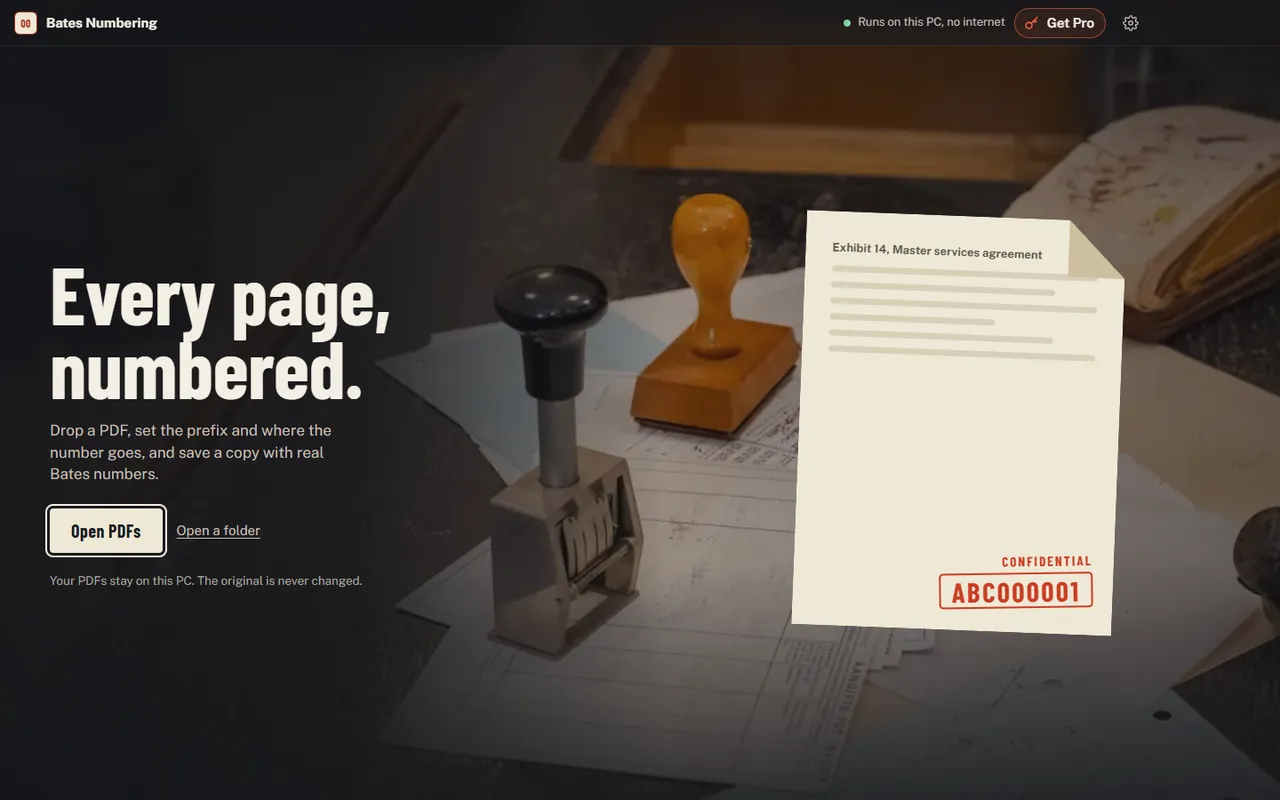
Bates Numbering on a clerk’s desk beside a numbering stamp, with a page whose corner is stamped CONFIDENTIAL and ABC000001, ready for a PDF to be dropped on it.

Features

What it does

Bates Numbering on a clerk’s desk beside a numbering stamp, with a page whose corner is stamped CONFIDENTIAL and ABC000001, ready for a PDF to be dropped on it.

Your format, exactly

A prefix, a start number, zero-padded digits and a suffix, so a page reads ABC000123 or DEF-0123-C. Six positions: the corners and the centres, top and bottom. Margin and font size are yours too.

  • See every page first

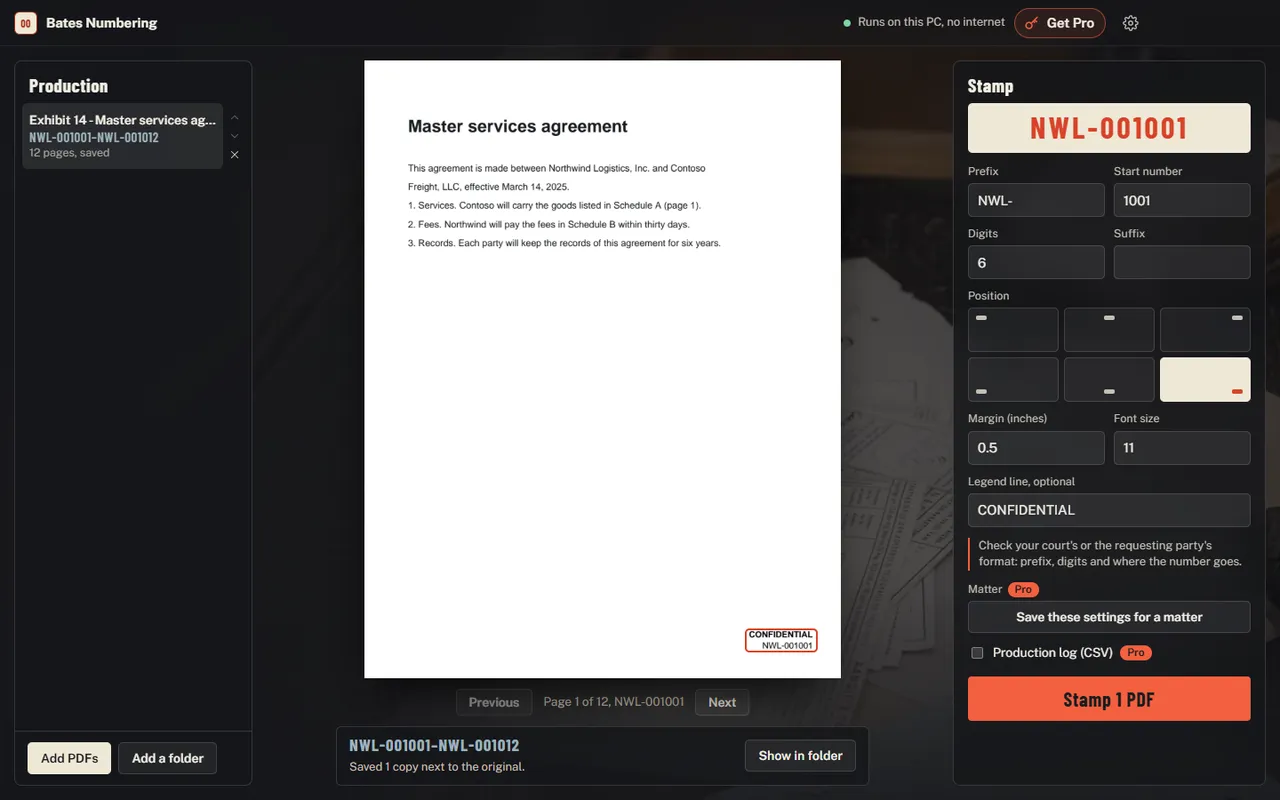
    The preview shows each page as it will be saved, with its own number, rotated and odd-sized pages included. Nothing is written until you press Stamp.

Bates Numbering after stamping a 12-page agreement: page 1 shows its stamp, NWL-001001, and the result card says a numbered copy was saved next to the original.

Real text, original untouched

The numbers are PDF text you can select and search, not a picture. The pages are otherwise unchanged, and the stamped copy is saved next to the original, which is never overwritten.

  • A legend line

    Add a line above the number, such as CONFIDENTIAL, in the same spot.

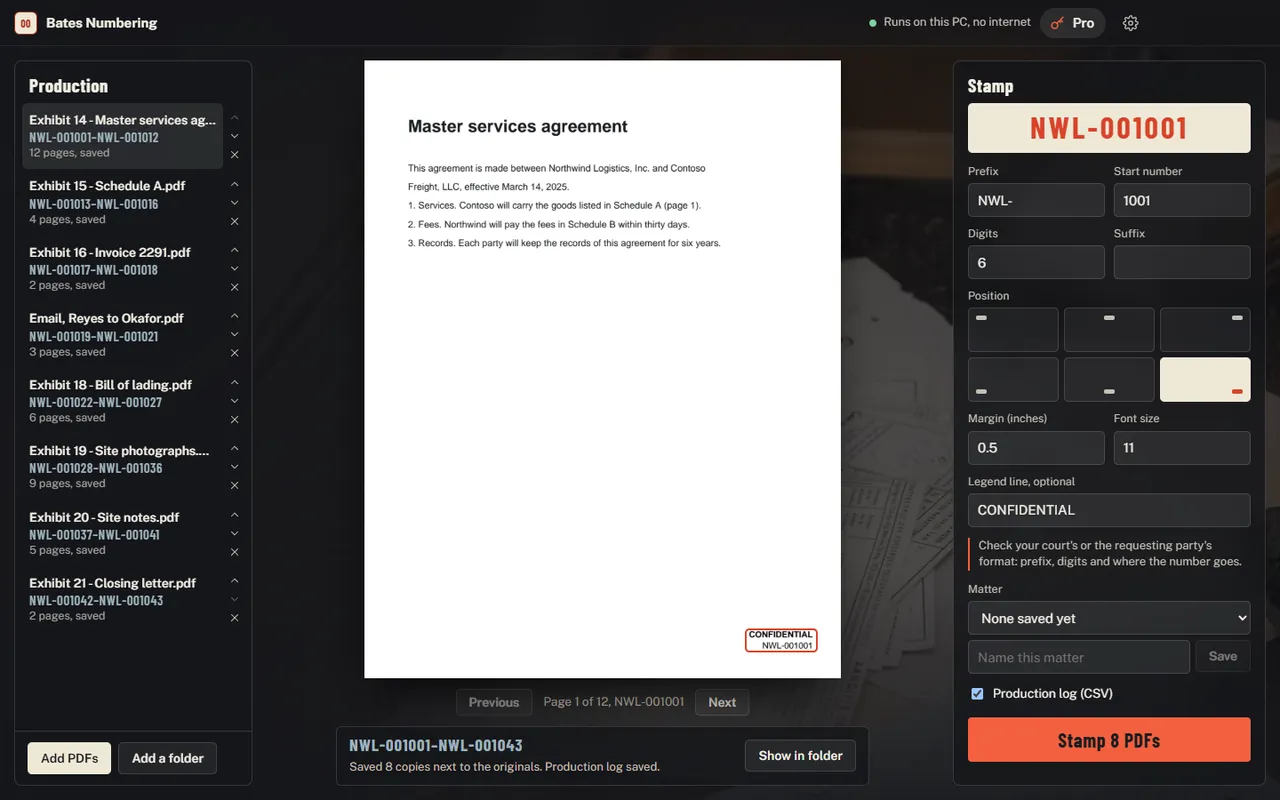
Bates Numbering Pro after stamping eight exhibits as one sequence, each file listed with its first and last number, and a production log saved.

Pro: a whole production in one run

Number a folder of PDFs as one continuous sequence, in the order you choose, each saved as its own stamped file. Free stamps the first 5 files of a production.

  • Pro: a production log and saved matters

    A CSV with each file, its first and last Bates number and its page count. Save your prefix, digits and position for each matter.

How it works

Three steps, no setup

  1. Drop your PDF

    One file, or a folder; put them in the order you want.

  2. Set the stamp

    Prefix, digits, position. Check your court’s or the requesting party’s format.

  3. Preview and stamp

    Look at the pages, then save the new copy next to the original.

Pricing

Free to use, Pro when you need more

Get it free from the Microsoft Store. Pro is a one-time purchase on this website.

Free

$0

  • Any one PDF, any length
  • Prefix, start number, digits, suffix
  • Six positions, margin, font size and a legend line
  • A preview of every page with its stamp
  • The first 5 files of a production, as one sequence
Get it from Microsoft

Pro: everything in Free, plus

$19.99 one-time

  • More than 5 files in one run, as one continuous sequence
  • A production log (CSV) with each file’s first and last number
  • Saved matters: prefix, digits and position for each case
  • On up to 3 PCs
Buy Pro

Buy Pro here and paste the key into the app's Settings. It works on up to 3 PCs, with a 14-day refund, no questions asked.

What's new

Version 1.0.0

  • First release: stamp Bates numbers on a PDF on your PC. Set a prefix, a start number, how many digits, a suffix and one of six positions, then save a new copy next to the original. The numbers are real text you can search and select, and nothing else on the pages changes.
  • See each page with its stamp before you save, and add a line above the number such as CONFIDENTIAL.
  • Number several PDFs as one sequence, in the order you choose: Free stamps the first 5 files of a production. With Pro, stamp as many as you like in one run, get a production log (CSV) with each file's first and last number, and save your settings for each matter.
  • Nothing is uploaded, and the original is never changed.

FAQ

Questions

Something not answered here? Ask us and you'll get a reply.

Ask a question
What is Bates numbering?

A running number stamped on every page of the documents in a legal production, so each page can be cited and tracked. It usually has a prefix, such as ABC, then a zero-padded number, such as ABC000123.

Which format should I use?

The one your court or the requesting party requires. Bates Numbering lets you set the prefix, the number of digits, a suffix and where the number goes, so you can match it exactly.

Are the numbers real text?

Yes. They are drawn as text in a standard PDF font, so they can be selected, searched and copied. The rest of each page is unchanged.

Does it change my original?

No. It saves a new file next to the original, named like “Exhibit 4 (Bates).pdf”, and never overwrites anything.

Is it free?

Yes, for any one PDF, and for the first 5 files of a production, numbered as one sequence. Pro adds more than 5 files in one run, a production log and saved matters for $19.99 once.

Does it work on rotated or mixed-size pages?

Yes. The stamp goes in the chosen spot of each page as it appears on screen, whatever its size or rotation.

What about password-protected PDFs?

They can’t be stamped without breaking their protection. Save an unlocked copy in your PDF reader first.

What does Pro cost?

$19.99, once. Buy it on this website and paste the license key into Settings. It works on up to 3 PCs, and there is a 14-day refund, no questions asked.
Get Bates Numbering

Stamp Bates numbers on your PDFs on your PC: your prefix, your digits, your position. Real text, a new copy, and nothing uploaded.

© 2026 CAO Labs