Get help

ProductivityAudio to Text for Windows

Audio to text on your PC, with every speaker told apart

Turn interviews, meetings and voice memos into text on your PC. Who said what, turn by turn. No upload, no account.

  • Free in the Microsoft Store
  • No account needed
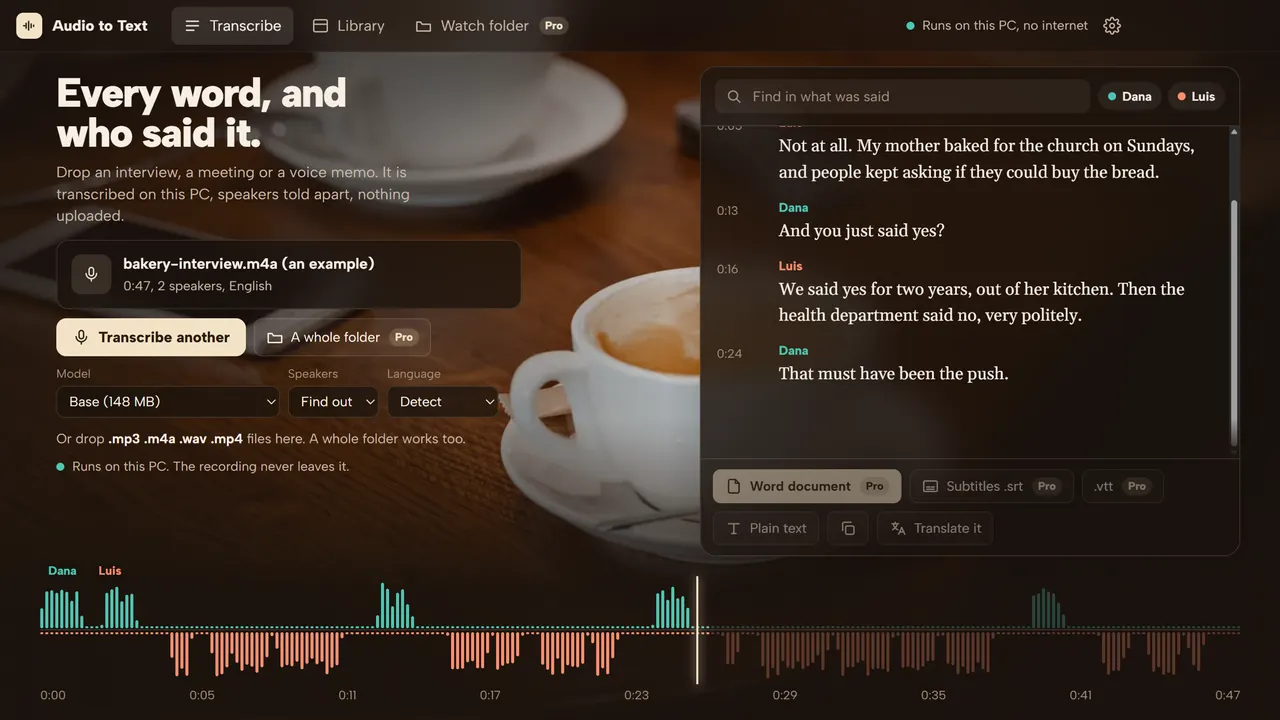
Audio to Text transcribing an interview: the recording drawn as two lanes, teal for one speaker and coral for the other, and the transcript writing itself in turns on a glass panel.

Features

What it does

Audio to Text transcribing an interview: the recording drawn as two lanes, teal for one speaker and coral for the other, and the transcript writing itself in turns on a glass panel.

On your PC

Whisper speech recognition runs right on your computer. The recording is never uploaded, and there are no minutes to buy.

  • Who said what

    Speakers are told apart by voice, on this PC. The recording shows one lane per speaker, and the transcript is written in turns.

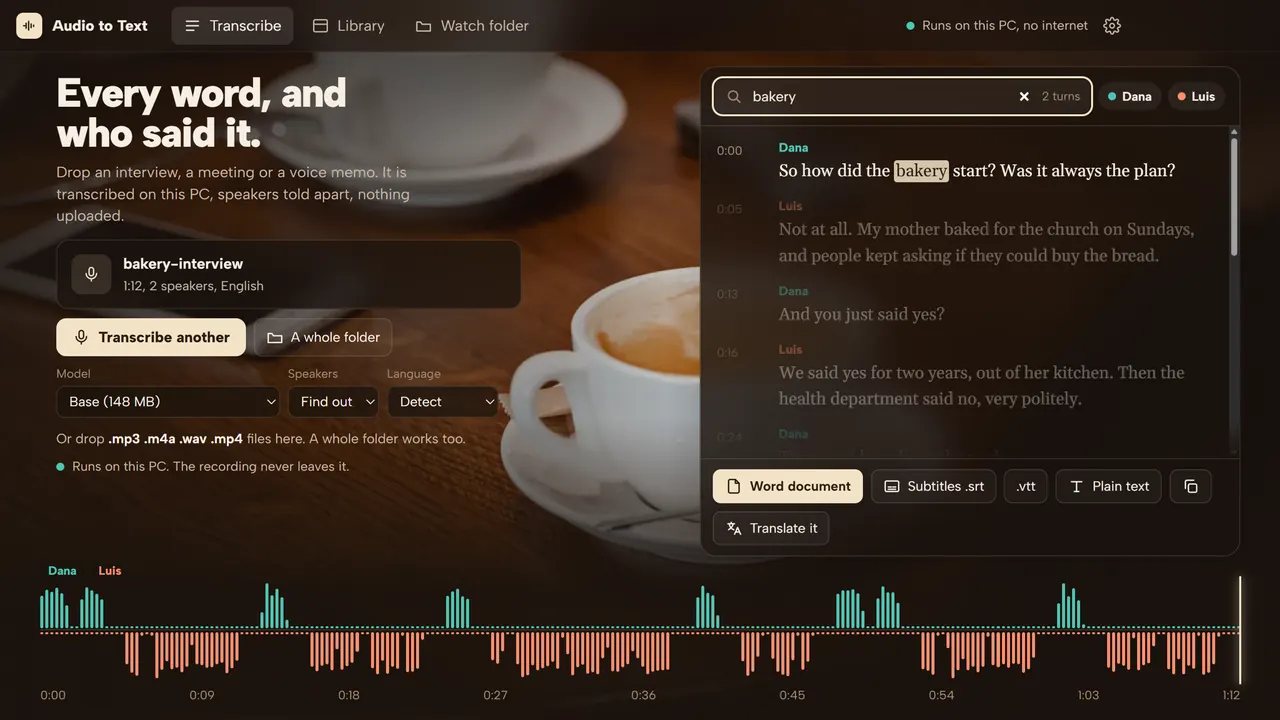
A finished transcript with the speakers named Dana and Luis, the word "bakery" found, and buttons to save it as a Word document, SRT or VTT subtitles or plain text.

Watch it write

The lanes appear first, then a playhead moves along them as the words come in, a few times faster than the recording plays.

  • Find anything

    Search what was said; matching turns light up. Click the lanes to jump to that moment.

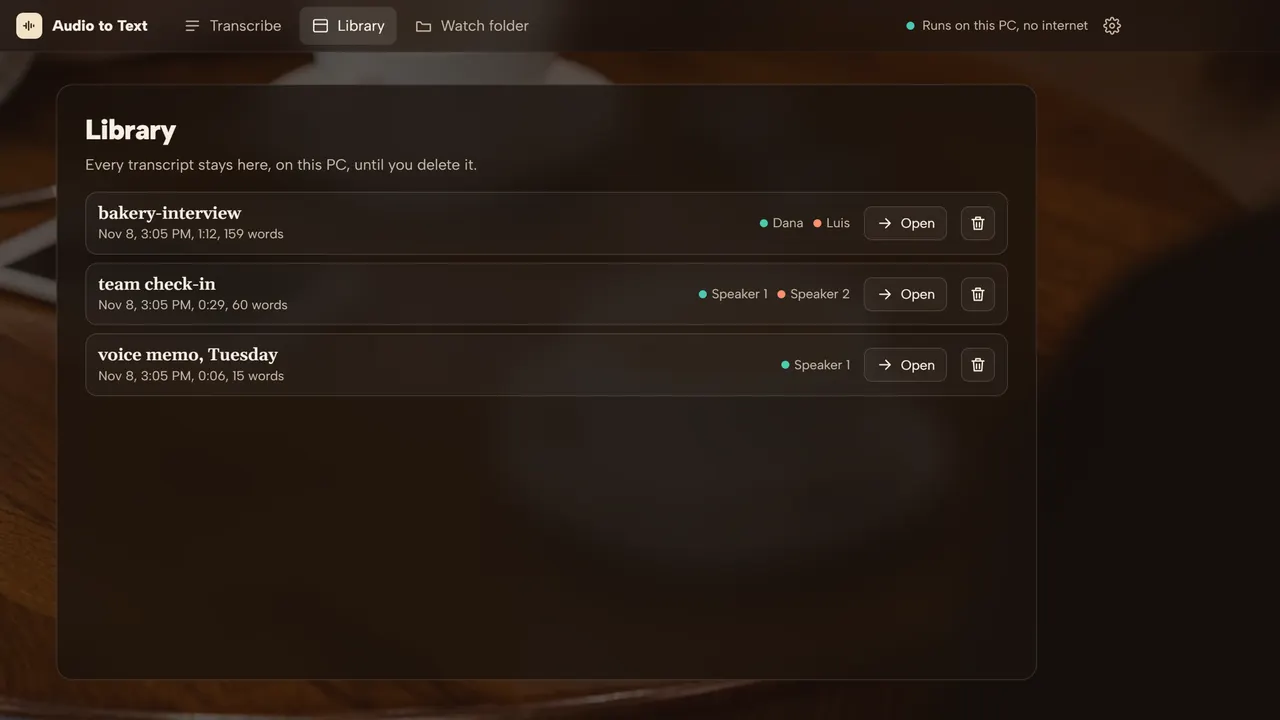
The Library: every transcript made on this PC with its date, length and speakers.

Word and subtitles

Save plain text for free; with Pro, a Word document with names and times, or SRT and VTT subtitles with the speaker on each line.

  • A folder that transcribes itself

    With Pro, point Audio to Text at your recorder’s folder: every new recording there is transcribed and kept in the Library.

How it works

Three steps, no setup

  1. Drop a recording

    MP3, M4A, WAV, MP4 and more. Free does up to 5 at once; Pro takes the whole folder.

  2. Watch it transcribe

    The speakers are told apart, then the transcript writes itself turn by turn.

  3. Name, find and save

    Rename the speakers, search what was said, save text, Word or subtitles.

Pricing

Free to use, Pro when you need more

Get it free from the Microsoft Store. Pro is a one-time purchase on this website.

Free

$0

  • Recordings up to 10 minutes
  • Tiny and Base models, 99 languages
  • Speakers told apart, lanes and turns
  • Find in what was said
  • Save plain text, copy with names and times
  • Up to 5 recordings in one go
Get it from Microsoft

Pro: everything in Free, plus

$14.99 one-time

  • Any length
  • Small, Medium and Large v3 Turbo models
  • Name the speakers
  • Word, SRT and VTT
  • More than 5 at once, whole folders in one go, a watch folder
  • On up to 3 PCs
Buy Pro

Buy Pro here and paste the key into the app's Settings. It works on up to 3 PCs, with a 14-day refund, no questions asked.

What's new

Version 1.0.2

  • First release: interviews, meetings and voice memos turned into text on your PC, with no upload.
  • Speakers told apart: the recording shows one lane per speaker, and the transcript is written turn by turn.
  • Save plain text; with Pro, name the speakers, save Word, SRT and VTT, take any length and whole folders, and watch a folder.

FAQ

Questions

Something not answered here? Ask us and you'll get a reply.

Ask a question
Can I turn audio into text without uploading it?

Yes. Audio to Text runs Whisper speech recognition on your PC, so the recording never leaves it. The speech model is a one-time download the first time you use it.

Does it tell the speakers apart?

Yes, by their voices, on your PC. It shows them as Speaker 1, Speaker 2 and so on; with Pro you can name them. It works best on clear recordings of a few people. Voices that sound alike or talk over each other can be mixed up, and telling the app how many people speak helps.

Is it free?

Yes, for recordings up to 10 minutes, with the Tiny and Base models, speakers told apart and plain-text export. Pro adds any length, bigger models, speaker names, Word, SRT and VTT, folders and a watch folder for $14.99 once.

Which languages does it understand?

Whisper understands 99 languages and finds the language by itself, or you can choose it.

How fast is it?

On a recent PC the Base model transcribes many times faster than the recording plays. Bigger models are more accurate and slower.

Which files can I use?

MP3, M4A, WAV, AAC, FLAC, OGG, OPUS, WMA and the sound of MP4, MOV, MKV and WEBM videos.

What does Pro cost?

$14.99, once. Buy it on this website and paste the license key into Settings. It works on up to 3 PCs, and there is a 14-day refund, no questions asked.
Get Audio to Text

Turn interviews, meetings and voice memos into text on your PC. Who said what, turn by turn. No upload, no account.

© 2026 CAO Labs